Automating Email Workflows for Local Businesses
Local businesses today can greatly benefit from automating their email workflows. This process involves using software tools to send out emails to customers and leads automatically based on pre-set triggers and schedules.
Instead of manually sending individual messages, business owners can set up sequences of emails – often called email workflows – that go out at just the right times to the right people. The result is consistent, timely communication that nurtures customer relationships without requiring constant hands-on effort.
In this comprehensive guide, we’ll explain what automated email workflows are, why they matter for a variety of local businesses (from retail stores and restaurants to medical practices and service providers), how to set them up using popular tools, and best practices to get the most out of email automation.
Understanding Email Workflows and Automation
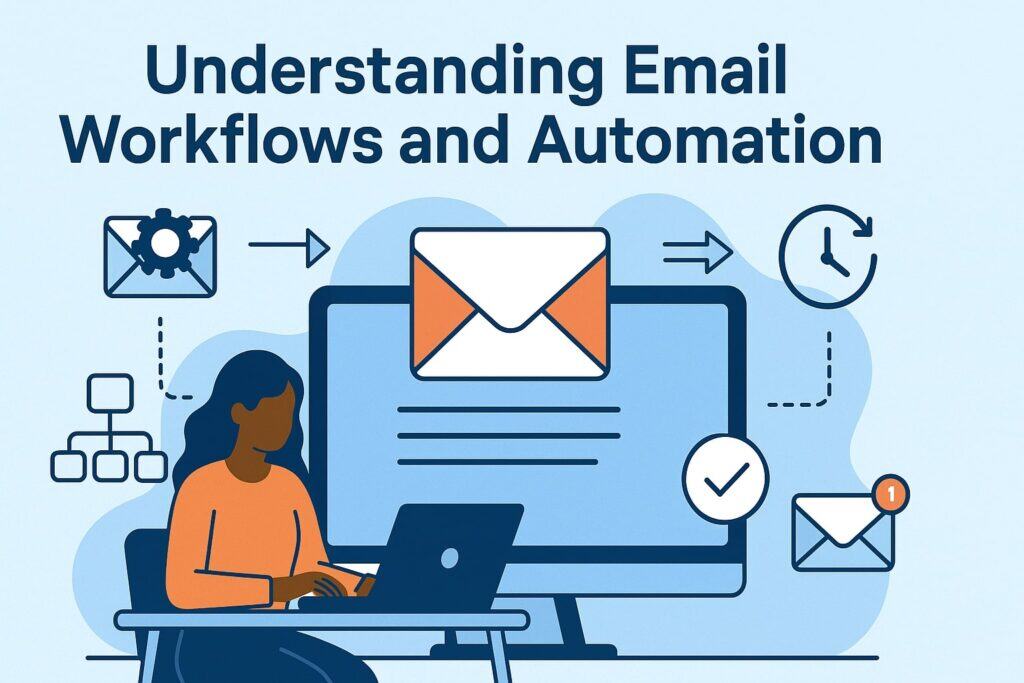
Email workflow automation is a system for sending targeted, personalized emails to customers without manual intervention, triggered by specific events or customer behaviors. In other words, it’s about delivering the right message to the right person at the right time – automatically.
This is a shift away from one-size-fits-all email blasts toward a more nuanced, timely approach in communication. For local businesses, understanding this concept is key to improving customer engagement while saving time.
What Are Automated Email Workflows?
Automated email workflows are sequences of emails that are pre-designed and scheduled to send when certain conditions are met. A workflow typically starts with a trigger event – for example, a customer signing up for your newsletter, making a purchase, booking an appointment, or not visiting in a while.
Once triggered, the system follows defined rules to send out one or more emails (the actions) according to your preset schedule and logic. Each workflow is essentially a blueprint of how your email communications should flow for a given scenario.
Key components of an email workflow include:
- Triggers: The events or conditions that start the workflow. These could be user actions (like a sign-up or purchase) or time-based events (like a birthday or a date relative to purchase).
- Rules/Conditions: The logic that determines what happens after a trigger. For instance, if a customer clicks a link in your email, you might branch the workflow to send a different follow-up than if they don’t click.
- Actions: The steps taken once triggered – usually sending an email, but can also include actions like updating a contact record or scheduling a task.
- Delays/Timing: Controlled waits between actions. You might wait one day after a purchase to send a follow-up, or send a reminder email 30 minutes after a cart is abandoned.
- Integrations: Connections to other systems like your CRM, booking software, or e-commerce platform so that data flows in and out. This ensures the workflow has the info it needs and updates other systems with new data (for example, logging that an email was sent or a link was clicked).
Once set up, an automated workflow runs continuously in the background. For example, if someone signs up on your website, they immediately receive a welcome email without you lifting a finger.
If a customer makes a purchase, a thank-you message or receipt is automatically emailed to them. This all happens through your email marketing software according to the rules you defined, freeing you from having to remember and execute each step manually.
Why is this important? It ensures consistent and instant communication. No more forgetting to follow up with a new lead or to thank a customer – the system handles it for you.
It also means scalability: whether you have 10 customers or 10,000, the emails go out as needed without extra work on your part.
Why Automate Emails for Local Businesses?
Automating email workflows provides significant advantages that address common challenges local businesses face. Here are a few reasons why email automation is particularly valuable for local enterprises:
- Limited Time and Resources: Local business owners often wear many hats, from serving customers to managing inventory. Automation saves time by handling routine email communications.
For instance, instead of spending hours each week sending follow-up emails or appointment reminders, you can set those up once and let the system do the work every day.
According to a recent marketing survey, 59% of marketers are expanding their email automation programs because automated emails save time and enhance efficiency, allowing focus on other important tasks. - Consistency in Customer Engagement: A small retail store or local clinic can’t afford to overlook customers due to human forgetfulness. Automated workflows ensure no customer falls through the cracks.
Every new subscriber gets a welcome email, every appointment gets a confirmation and reminder, and every inactive customer can receive a re-engagement offer – all consistently and on time.
This reliable communication builds trust and keeps your business on the customer’s mind. - Personalized Customer Experience: Email automation allows for personalization at scale, which is a game-changer for local businesses. Instead of generic mass emails, you can send highly relevant content to each customer segment automatically.
For example, a restaurant can automatically email a special birthday coupon to a patron based on the birthdate in their sign-up data, or a salon can send hair care tips only to clients who’ve had hair treatments.
This level of tailored communication makes customers feel valued and improves their experience. - Improved Follow-up and Conversion: Automated workflows help nurture leads and encourage sales without persistent manual follow-up.
If someone visits your website and leaves an inquiry, an automated series can send them more information or an offer over the next few days, increasing the chance they’ll become a paying customer.
If a shopper at your online store abandons a cart, an automatic email can remind them of the items and perhaps include a small discount to entice them back.
These kinds of timely follow-ups have been shown to recover sales that might otherwise be lost and convert more prospects into customers. - Competitive Edge: Many larger companies already use automation for efficiency and customer engagement. By automating your email workflows, your local business can punch above its weight and compete with bigger players in customer communication.
You’ll respond faster to inquiries (even outside business hours), provide professional and consistent messaging, and stay engaged with customers regularly.
Small businesses that embrace workflow automation in 2025 are saving time, cutting costs, and delivering quicker service – helping them compete with much larger firms.
In summary, automating email workflows lets local businesses do more with less effort. It’s like having a virtual assistant for your communications – one that works 24/7, never forgets, and ensures each customer gets timely, relevant emails.
Next, we’ll dive deeper into the specific benefits you can expect from email automation and how those benefits apply to various types of local businesses.
Benefits of Automating Email Workflows for Local Businesses
Implementing automated email workflows can transform how a local business interacts with customers. Below are some of the key benefits of email automation, along with examples of how they apply to businesses like retail shops, service providers, restaurants, medical practices, and more:
- Time Savings and Efficiency: Automation is a huge time saver. By setting up a series of emails in advance that are triggered by specific behaviors or dates, you free yourself and your staff from sending messages one by one.
For example, a local bakery could set up automated daily emails to advertise a late-afternoon pastry special instead of manually composing an email every day. With those hours saved, you can focus on serving customers or other priorities.
Additionally, automated workflows can include features like A/B testing and segmentation that streamline your marketing efforts and make them more effective, improving overall efficiency. - Consistency and Reliability: Humans get busy or forget, but an automated system never forgets to send an email. This ensures consistent communication.
A medical practice or dental office can have automatic appointment confirmation and reminder emails that go out to every patient before their visit. A restaurant can automatically send reservation confirmations and follow-ups without fail.
This reliability means your customers always receive important information (like “Your appointment is tomorrow at 10am” or “Thank you for dining with us, please review us”) on time, leading to fewer no-shows and higher customer satisfaction. - Personalized Customer Experience: Automated emails can be highly personalized using customer data, which greatly improves the customer experience.
By leveraging segmentation and personal details, your emails feel like they were written one-to-one, even though they’re automated.
For instance, a spa or salon might segment clients by the services they use – customers who get massages receive monthly wellness tips, while hair styling clients get hair care advice.
Including the customer’s name and referencing their last visit or purchase in the email can significantly increase engagement and make people feel valued.
This kind of personalized automation leads to higher open rates and click-through rates because the content is more relevant to the recipient’s interests. - Higher Engagement and Conversion Rates: Sending the right message at the right time naturally boosts customer engagement.
Automated workflows geared towards conversion – such as cart abandonment emails or follow-ups to inquiries – gently nudge customers along the buying journey.
A retail store with an online shop can recover lost sales by automatically emailing customers who abandoned carts, perhaps an hour or two after the event, reminding them of the items left and maybe offering a discount.
Likewise, a car dealership or home services business can set an automated follow-up for leads who got a quote or took a test drive, providing additional information or an incentive to encourage the sale.
These timely, targeted messages keep potential customers engaged and significantly improve conversion rates compared to generic, one-off emails. - Improved Customer Retention and Loyalty: Regular, proactive communication helps keep existing customers coming back. Email automation is excellent for customer retention strategies.
You can automate check-in emails for customers you haven’t seen in a while or offer loyalty rewards. For example, a local restaurant might send monthly special offers or a “We miss you – come back for 10% off!” email to patrons who haven’t visited in the last 90 days.
A fitness center or health clinic can schedule automated “anniversary” emails to celebrate a customer’s one-year with the business, perhaps including a special discount or thank you message.
These touches show customers you value them, strengthening their loyalty over time. Automation ensures such retention efforts happen like clockwork. - Increased Revenue Opportunities: By automating promotional and upsell emails, local businesses can generate more revenue with minimal effort.
Cross-sell and upsell campaigns can be built into your workflows – for instance, an online music store might automatically suggest related products (like headphones or instrument accessories) to customers after they purchase an item.
A furniture store could follow up a big purchase with an automated offer for premium services (like design consulting or warranties). Because these emails are timely and relevant, they often lead to additional sales.
Moreover, consistent newsletters or seasonal campaign workflows keep customers informed of new products or events, driving traffic and sales during key periods (holidays, sales events, etc.).
In short, email automation can boost your bottom line by maximizing each customer’s lifetime value through well-timed offers and reminders. - Scalability of Marketing Efforts: As your business grows, manual communication becomes harder to maintain. Automated workflows scale effortlessly. Whether your email list grows from 100 to 1,000 or you open a second location, your automated campaigns can handle the increased audience without extra work.
For example, a popular local restaurant chain can manage customer communications across multiple locations using the same automation platform – sending personalized offers based on each customer’s preferred location and interests.
Similarly, an e-commerce boutique that suddenly gains a lot of new customers can rest assured that each new subscriber will still get the welcome series and each new buyer will get the same post-purchase follow-ups.
This scalability means you maintain a high level of personalization and responsiveness even as your audience expands. - Data Insights and Continuous Improvement: Most email automation platforms come with analytics and reporting tools that track how your emails perform – open rates, click-through rates, conversion rates, etc.
By automating emails, you also automate the collection of valuable data about customer behavior. Over time, you can analyze this data to learn what content works best, what times are optimal for sending, and how different segments respond to different approaches.
These insights allow you to continuously refine your email marketing strategy. For example, you might discover that your local bookstore’s event announcement emails get higher responses when sent in the evenings, leading you to adjust your send times.
Or you may find one style of subject line yields better open rates, which you then adopt across campaigns. Essentially, automation not only executes your email strategy but also provides the feedback loop to improve it.
Many advanced platforms even offer A/B testing within automated workflows and AI-powered suggestions (like optimal send times or subject line recommendations) to further enhance results. This data-driven optimization ensures your email marketing keeps getting more effective over time.
By leveraging these benefits, local businesses can strengthen customer relationships, operate more efficiently, and drive more sales. Next, we will look at the tools that make email workflow automation possible, and how to choose the right one for your business.
Popular Email Automation Tools for Local Businesses
To implement automated email workflows, you’ll need a reliable email marketing automation platform. There are many tools available, each with its own strengths, features, and pricing suited to different needs.
Here we highlight a few of the most popular and widely used platforms – Mailchimp, ActiveCampaign, and HubSpot – as well as mention other notable options. All of these can help local businesses automate their email communications; the best choice depends on your specific requirements and skill level.
Mailchimp
Mailchimp is one of the most well-known email marketing tools, especially among small and local businesses. It’s praised for its ease of use, drag-and-drop email builder, and a generous free plan for businesses just starting out.
Mailchimp offers pre-built automation workflows for common sequences like welcome emails and follow-up campaigns, which makes it beginner-friendly for setting up simple automations.
For example, you can easily configure a welcome email to send to new subscribers, or a basic drip campaign, without needing technical expertise. Mailchimp also provides templates and a large collection of integrations (for connecting to things like your online store or booking system).
It’s comparatively affordable – in fact, Mailchimp offers a free tier (for up to a certain number of contacts and sends), which is great for smaller contact lists.
However, while Mailchimp is very popular and accessible, its automation capabilities, while solid, are somewhat basic compared to more advanced platforms.
It can handle essential workflows (welcome series, birthday emails, cart reminders, etc.) and segmenting your list by simple criteria, but it may feel limiting if you want very complex, multi-branch automation or advanced segmentation logic.
In short, Mailchimp is ideal for beginners or those with simple needs, and many local businesses start here due to its familiarity and low cost. As one comparison put it, Mailchimp remains “easier to master” and perfectly suitable for straightforward email marketing, though more sophisticated tools exist if you outgrow it.
ActiveCampaign
ActiveCampaign is a platform known for its powerful marketing automation features and is often recommended for businesses looking to take their email workflows to the next level. It offers a visual automation builder that lets you craft highly customized workflows with multiple triggers, conditions, and actions.
ActiveCampaign excels in advanced segmentation and targeting; you can tag contacts based on their behavior and personalize emails using a wide range of data. It also includes a built-in CRM and sales automation capabilities, which means it’s not just for email marketing but can help manage leads and customer relationships more holistically.
For local businesses that want to implement more sophisticated customer journeys – for instance, different email paths depending on whether someone clicked a previous email or visited a certain page on your website – ActiveCampaign provides that flexibility.
ActiveCampaign tends to be a bit more complex to learn than Mailchimp, simply because it can do much more. It’s often described as being not as immediately beginner-friendly due to the depth of features.
However, if you have intermediate tech skills or are willing to invest time in learning, ActiveCampaign can pay off with capabilities like behavioral triggers, dynamic content, and even lead scoring for sales-oriented businesses.
Many small and mid-sized businesses find that ActiveCampaign’s advanced automation and robust list management help them run campaigns that would be impossible in simpler tools.
In terms of cost, ActiveCampaign does not have a free plan; its pricing starts at a modest monthly fee and scales with the number of contacts and features (including needing a higher tier for features like the CRM add-on).
Local businesses that prioritize advanced automation and CRM integration – such as a real estate agency wanting complex follow-up sequences or a specialty shop with both online and offline customer interactions – might find ActiveCampaign the best fit.
HubSpot
HubSpot is an all-in-one marketing, sales, and CRM platform, and its email automation capabilities are part of its broader Marketing Hub. HubSpot is known for being a comprehensive solution – it can manage not only email marketing but also your website content, social media, ads, customer service tickets, and more, all in one system if you choose.
For the purposes of email workflows, HubSpot offers a very powerful automation engine. You can create sophisticated workflows that tie into your CRM data easily, meaning your automated emails can use information from sales interactions or website behavior seamlessly. HubSpot’s workflow builder allows for branching logic, delays, and integrations similar to other top-tier tools.
A major advantage for local businesses with growth ambition is that HubSpot’s platform can support a longer customer lifecycle – from a stranger downloading a coupon on your website, to automated nurture emails, to that lead converting into a sale and beyond (with sales follow-ups and customer service check-ins), all within one platform.
In terms of use, Mailchimp is generally easier to set up for email-only purposes, whereas HubSpot has a steeper learning curve because it’s a more complex, all-in-one tool.
HubSpot’s strengths shine if you want an integrated approach – for example, tracking that a lead opened your email, then automatically assigning a task to your team to call them if they clicked the “Schedule Consultation” link. Such multi-step, cross-functional workflows are where HubSpot excels.
However, HubSpot can be more expensive, especially if you need higher-tier features or a large number of contacts. It does offer a free CRM and a free version of its email marketing (with limited sends and features), which is a good starting point for small businesses to try out.
But to unlock robust automation, you might need a paid plan which can be a considerable investment. In summary, HubSpot is an excellent choice for local businesses that want to centralize their marketing and customer management in one platform and have access to enterprise-grade automation (and have the budget for it).
If your business plan involves scaling up marketing significantly or if you value deep insights and advanced features (like detailed analytics, custom reports, or integration with a sales team’s process), HubSpot could be worth it.
As one comparison noted, HubSpot is suited to those with larger ambitions and experienced marketers, while Mailchimp may suffice for simpler needs.
Other Notable Tools and Platforms
Besides the three above, many other email automation platforms are popular with small and local businesses:
- Constant Contact: A long-standing email marketing service known for its strong support and ease of use, particularly for newsletters and event announcements.
It has added automation features like welcome email series and birthday emails, though its automation is not as advanced as some others. Constant Contact is often favored by local community organizations, retail shops, and service businesses for its simplicity and reliable customer support. - SendinBlue (Brevo): An affordable option that includes email and SMS marketing. SendinBlue (rebranded as Brevo) offers a free plan and has a good automation workflow editor for the price.
It’s a good fit for businesses on a tight budget that still want automation like welcome sequences or simple drip campaigns. - MailerLite: Another cost-effective platform with an intuitive interface. It supports basic automations and is known for its clean design and simple usability. Great for small lists and simple needs.
- Klaviyo: Very popular for e-commerce (including local businesses with online stores). Klaviyo offers powerful automation tailored to online retailers – for example, robust abandoned cart sequences, browse abandonment emails, and deep integration with platforms like Shopify.
If your local business sells online and you need advanced e-commerce targeting, Klaviyo is a top choice. - Campaign Monitor, Drip, Moosend, and others: There are many players in this space. Each platform has unique features – some emphasize visual design, others highlight advanced analytics or AI features. For instance, some newer platforms incorporate AI to suggest optimal send times or subject lines.
When choosing a tool, consider factors like your budget, the size of your email list, the types of integrations you need (e.g., with your point-of-sale system, website platform, or CRM), and how complex you want your workflows to be.
Many providers offer free trials or free tiers, so you can experiment before committing. The good news is that there’s likely an email automation solution suited for every local business, from a one-person operation up to multi-location enterprises.
(Many email automation software providers are available – for example, Mailchimp, ActiveCampaign, HubSpot, Klaviyo, Constant Contact, and others – each with unique strengths for different business requirements.)
Setting Up Automated Email Workflows (Step-by-Step Guide)
Implementing email automation might seem daunting, but it can be broken down into clear steps. In this section, we’ll walk through how to set up an automated email workflow for your local business, from planning to execution.
This guide is aimed at intermediate users who have some familiarity with email marketing basics, but it’s also useful for advanced users as a checklist for thorough setup.
Step 1: Choose the Right Email Automation Platform
Your first decision is selecting an email automation software that fits your business’s needs. As discussed in the tools section, consider factors like features, ease of use, integration with your existing systems, scalability, and cost.
If you are new or have a small list, a user-friendly tool like Mailchimp or MailerLite might suffice. If you need advanced capabilities, you might opt for ActiveCampaign, HubSpot, or Klaviyo.
Ensure the platform you choose supports the type of automation you plan to implement – for example, does it have triggers for website activity or purchases from your particular e-commerce platform? Does it offer visual workflow building (which makes designing complex sequences easier)?
Also, look into deliverability features – top providers help authenticate your emails with SPF and DKIM records to improve inbox placement.
Take advantage of free trials or free tiers to test out a platform’s interface. It’s important that you feel comfortable navigating the software, since you’ll be designing and adjusting workflows through it.
Additionally, consider the support and resources available – a platform with good tutorials, templates, and customer support can make your setup process much smoother.
Once you’ve picked your platform, set up your account and integrate it with any other systems as needed (for example, connect it to your website forms, your CRM, or your booking system so that data flows automatically).
Step 2: Define Your Email Automation Goals
Before creating any workflow, clarify what you want to achieve. Each automated email campaign should have a clear goal.
Are you aiming to welcome new subscribers and inform them about your business? Increase online sales by recovering abandoned carts? Encourage repeat visits from existing customers? Or perhaps gather feedback via a follow-up survey? Defining the goal will guide all your decisions in building the workflow.
Take a moment to write down specific objectives and how you will measure success. For example, a goal could be “Increase the conversion of website leads to customers by sending a nurture email series” – success might be measured by a certain % of leads who make a purchase or booking.
Align these goals with your broader business objectives. If your business objective is to boost customer retention, your email automation goal might be to implement a loyalty or re-engagement email series that raises repeat visit rates by X%.
Clear goals ensure that you design your workflows purposefully and can later assess if they are working.
Step 3: Build and Segment Your Email List
A successful email workflow depends on having a well-organized and segmented email list. Segmentation means dividing your subscribers into meaningful groups so that you can tailor your automated emails to each group’s interests or stage in the customer journey. Before launching workflows, think about what segments are relevant for your business.
Common segments for local businesses might include: new leads, first-time customers, repeat customers, inactive customers, and segments by interest or purchase behavior (e.g., a pet store might segment customers into cat owners vs. dog owners to send more relevant content).
Make sure you are collecting the data needed for these segments. This could be as simple as ensuring your sign-up forms ask for necessary info (like asking for a customer’s birthday if you plan to send birthday offers, or tagging the source of sign-ups to differentiate those who joined at your physical store vs. online).
Many automation platforms let you use website behavior or purchase history to dynamically segment. For instance, your system can automatically label someone as “inactive” if they haven’t opened the last 5 emails or “VIP customer” if they’ve spent over a certain amount.
Utilize data from your CRM or sales records – such as last purchase date, product categories purchased, or location – to feed into your segmentation strategy. The better segmented your list, the more precisely targeted and effective your automated emails will be.
As you create segments, also make sure your email list is built on permission-based, opted-in contacts (people who have given consent to receive emails from you).
If you’re just starting out, you might need to focus on list-building tactics like adding a newsletter sign-up to your website, encouraging customers at your store checkout to provide an email for receipts or loyalty programs, and promoting an email sign-up through social media.
Quality of contacts is more important than quantity – a smaller list of engaged, local subscribers will yield better results than a huge list of uninterested recipients.
Step 4: Design Your Email Workflow (Triggers, Content and Timing)
Now comes the core step – creating the actual automated workflow in your chosen platform. This involves setting up the trigger, defining the sequence of emails/actions, writing the email content, and scheduling the timing for each step.
- Set the Trigger: Decide what event will start the workflow. This could be:
- A subscription event (user joins your list or a specific segment)
- A transactional event (customer makes a purchase or booking)
- A time-based event (e.g., a date like customer’s birthday or 6 months since last purchase)
- A behavior event (customer clicks a link, or doesn’t open emails for a certain period, etc.)
- A subscription event (user joins your list or a specific segment)
- Configure this trigger in your platform. For example, “When a new contact is added to the ‘Newsletter’ list, start Welcome Workflow,” or “When a contact hasn’t purchased in 90 days, start Win-Back Workflow.” Many platforms have easy dropdowns or recipes for common triggers.
- Outline the Email Sequence: Plan out how many emails will be in the workflow and the purpose of each. For instance, in a welcome series you might have Email 1: Welcome & Introduction, Email 2: Story about your business or top products, Email 3: Offer a first-purchase discount, Email 4: Feedback or follow-on suggestion.
Write a brief outline of each email’s content and call-to-action. Ensure the content aligns with the campaign goal you set earlier. If the goal is nurturing a lead towards purchase, the sequence should gradually build interest and address potential questions or objections, culminating in a sales offer.
If the goal is retention, the sequence might provide value (like tips or guides) and then encourage re-visit. - Craft the Email Content: Create the emails themselves – subject lines, body content, and design. Keep content engaging, on-brand, and mobile-friendly. Since these emails are automated, also make sure they don’t sound too robotic.
Use personalization tags (e.g., include the recipient’s first name, reference their last purchase if appropriate) to give a personal touch. Each email should have a clear purpose and a single primary call-to-action (CTA) to avoid confusing the reader.
For example, an appointment reminder email’s CTA might be “Confirm your appointment,” whereas a promotional email’s CTA might be “Shop the sale now.” Use clear and concise language and compelling subject lines to maximize open rates.
You might also prepare two variants of critical emails (like two versions of a subject line or content) if you plan to A/B test for optimization later. - Set Delays and Timing: Determine how soon and how frequently the emails will be sent after the trigger. Timing can greatly influence success. For example, for an abandoned cart workflow, you might send the first reminder email just 1 hour after the cart is abandoned, a second reminder 24 hours later, and a final one maybe 3 days later.
For a welcome series, you might spread emails over a week or two. Many local businesses find that spacing out emails a few days apart prevents overwhelming new subscribers.
On the other hand, time-sensitive triggers like appointment confirmations should go out immediately. Most platforms let you insert time delays between emails (e.g., “Wait 2 days, then send Email 2”). Also consider what time of day your emails go out – some tools can send based on each contact’s local time or optimal open times.
If your platform supports send-time optimization or provides insights on when your audience is most active, use that to schedule emails at high-engagement times (for instance, a restaurant might find late morning is the best time to send a lunch promo email for that day). - Incorporate Conditions If Needed: More advanced workflows can include conditional logic. For example, within a workflow, you could say “If a customer opened Email 1, then send Email 2A; if not, resend a variant or send Email 2B.”
Or “If a customer clicks the ‘coupon’ link, then end the workflow (mission accomplished). If not, continue to the next email.” These branching paths ensure that the workflow adapts to customer behavior, making it more relevant.
This level of complexity is optional and depends on your platform’s capabilities and your goals. For intermediate usage, you may start without complex branches and then refine later by adding conditions based on performance.
After configuring all these elements in the software’s workflow editor, double-check the flow. It often helps to use any visualization features (many platforms show a flowchart of your workflow) to confirm the logic is correct.
Check that the correct email templates are attached in each step, and that placeholders (like {FirstName}) are populating correctly with sample data.
Step 5: Test, Monitor, and Optimize Your Workflows
Once your automated workflow is built, don’t set it and forget it! The final step is an ongoing one: testing and optimizing your email workflows for best results.
- Test Before Launch: Always do a test run. Most platforms allow you to send test emails to yourself or set up dummy contacts to trigger the workflow.
Test each email for correctness – ensure the personalization works (e.g., does “Dear [Name]” show the name?), links are not broken, images load properly, and the emails look good on desktop and mobile email clients.
It’s also wise to test the timing and sequence by using a test contact and simulating the trigger action (like signing up with a personal email address to see if you receive the welcome series as expected).
This helps catch any setup errors or typos before real customers begin to experience the workflow. - Monitor Key Metrics: After the workflow is active, closely monitor its performance. Look at open rates, click-through rates (CTR), conversion rates (if there’s an action like a purchase or booking to track), and unsubscribe rates for each email in the workflow.
These metrics will tell you how engaging and effective your emails are. For example, if Email 2 in a series has a drop in open rate compared to Email 1, perhaps the subject line needs improvement.
If lots of people click the link in Email 3 but don’t convert on the landing page, maybe the landing page needs optimization or the offer isn’t compelling enough.
Also pay attention to the timing metrics – some platforms show what times of day or days of week get better engagement, which can inform adjustments to send times. - Optimize Through A/B Testing: Many email automation platforms let you do A/B tests (also called split tests) even within automated sequences.
You can experiment with different subject lines, email designs, or call-to-action wording on a portion of your audience to see which version performs better, then use the winner for everyone.
For instance, you could test two subject lines in your re-engagement email to see which reactivates more dormant customers.
Always test only one element at a time (like subject line or content or send time) so you can attribute any performance difference to that change. Over time, these tests can significantly improve your workflow outcomes. - Refine Segmentation and Content: Use the data you gather to refine your segments or content. If you notice certain groups of customers aren’t engaging, consider if your content is truly relevant to them.
You might decide to further segment (for example, splitting “inactive customers” into those who only purchased once vs. those who purchased multiple times, and crafting different win-back messages for each).
Regularly update your email content to keep it fresh and reflective of any changes in your business (ensuring you don’t accidentally send outdated information).
For example, if your hours changed or you have new products, update the automated emails accordingly. - Avoid Automation Pitfalls: Keep an eye out for common pitfalls in automation. Make sure your emails still feel personal – overly generic or robotic messaging can turn customers off.
Be cautious not to over-email your subscribers; if you have multiple workflows, consider how they might overlap. You don’t want a customer receiving too many automated emails in a short span (monitor unsubscribe rates; a spike could indicate you’re sending too often or sending content that isn’t valuable).
Also, maintain a balance between automated emails and any real-time communications – for instance, if there’s a sudden important update (a last-minute sale or a critical announcement like a temporary closure), you may need to send a one-off email outside of the normal automated schedule. - Continuous Improvement: Email automation is not a one-time project but an ongoing process. Set a schedule, perhaps monthly or quarterly, to review each workflow’s performance.
Look for ways to tweak and improve subject lines, content, targeting, or timing. Also stay updated on any new features your email platform might add (for example, some providers introduce new automation templates or AI features that could benefit you).
By continually learning from your metrics and making adjustments, you’ll ensure your automated email programs remain effective and align with your business goals.
By following these steps, you can successfully implement email workflows that run smoothly and deliver results. Next, let’s explore some common types of automated email workflows and use cases particularly relevant for local businesses, to spark ideas for your own campaigns.
Common Types of Email Automation Workflows for Local Businesses
Different types of email workflows serve different purposes. As a local business, you’ll likely employ several of these over time to cover various customer touchpoints. Below we describe popular automated email campaigns and how local businesses can use them:
Welcome and Onboarding Series
Welcome emails are often the first automation every business should set up. This workflow is triggered when someone first signs up for your email list or loyalty program. The idea is to greet new subscribers or customers with a warm welcome and essential information.
A simple welcome series might include an initial welcome email (thanking them for joining, introducing your brand and value proposition) and possibly follow-up emails that could share your most popular content, customer testimonials, or a special new-customer discount to encourage a first purchase.
For a local business example: if someone signs up for a boutique’s newsletter, the boutique can automatically send a welcome email that might include a 10% off coupon for their first purchase in-store or online, along with a note about what kind of updates the subscriber can expect (e.g. “We’ll send style tips and first access to new arrivals”).
A fitness studio might have a welcome series for new members that includes a welcome note, a guide on how to get the most out of their membership, and a schedule of classes.
These emails set the tone for your relationship and significantly increase engagement – welcome emails typically have some of the highest open rates of any campaign type, because subscribers are most interested at the moment they sign up.
The key in onboarding emails is to be friendly, helpful, and not overly salesy right away. You want to introduce your business, highlight your unique selling points, and maybe encourage an initial action (visit your store, schedule a service, use a discount code).
Automation ensures every single person gets this proper welcome immediately when interest is highest.
Customer Nurturing Drip Campaigns
A drip campaign is a set of emails sent at predetermined intervals to educate or nurture leads and prospects over time. For local businesses, nurturing campaigns are useful when you have a sales cycle or a consideration period before someone becomes a customer. This is common for service-based businesses or high-value purchases.
For example, consider a real estate agent or a home improvement contractor: when a potential client expresses interest (like downloading a guide or filling a form), you can enter them into a drip campaign that sends helpful content to build trust – such as “5 Tips for First-Time Homebuyers” or “How to Plan Your Kitchen Renovation” – once a week for a few weeks.
This keeps the lead warm and showcases your expertise, gently steering them toward contacting you for business. Similarly, a B2B service provider (say, an IT services firm or marketing consultant in your local area) could use drip emails to nurture leads by sharing case studies, explaining service benefits, and addressing common pain points.
Drip emails are typically educational and value-driven, rather than overtly promotional. They slowly “drip” information to the recipient.
The automated workflow might stop or adjust when the lead takes a desired action (for instance, if the prospect schedules a consultation after email #3, you could have the workflow end or move them to a new customer sequence).
By automating this, you ensure consistent follow-up without overwhelming the person. Drip campaigns keep your business at the top of the prospect’s mind and can significantly improve the conversion of leads into customers through sustained engagement.
Re-engagement (Win-Back) Campaigns
Over time, some customers or subscribers may grow inactive – they haven’t opened emails lately, or haven’t made a purchase/visit in a while. Re-engagement workflows are designed to win back these lapsed customers. The trigger is typically a period of inactivity (e.g., no purchases in 6 months, or no email opens in 3 months).
A win-back campaign usually offers a compelling reason for the person to re-engage. This could be a special “We miss you” discount, an update on new offerings that might interest them, or even a simple “Tell us what you’re interested in” to adjust their preferences.
For a local restaurant, for instance, if a regular customer hasn’t dined in 4 months, you might automate an email with a message like “We miss seeing you! Here’s 20% off your next meal – come back and enjoy your favorites.”
If they still don’t respond, a second follow-up could remind them of what they’re missing (“Our menu has new items we think you’d love”). A spa or clinic could send lapsed clients an email about new services or a limited-time offer for returning customers.
These campaigns can rekindle relationships and often recover lost customers. However, if a contact remains unresponsive even after a win-back series (say, they ignore 3 or 4 re-engagement emails), it may be best to stop emailing them to avoid spam complaints or clutter.
Some businesses even include a final email in the series that says, “We notice you haven’t been engaging. If you’d like to stay, please click here, otherwise we will stop emailing you.” This helps clean your list by removing truly uninterested contacts (which is good for your email sending reputation and open rates going forward).
Abandoned Cart Recovery (for E-commerce)
If your local business has an e-commerce website or online ordering (as many retailers and even restaurants do these days), abandoned cart emails are a crucial automated workflow.
This is triggered when a customer adds items to their online cart but leaves the site without completing the purchase. The automation will send a reminder email, typically within a few hours, saying something like “You left something in your cart” and displaying the item(s) with a prompt to complete the checkout.
Many businesses send a series of 2-3 cart reminders: the first within a few hours, another after 24 hours, and sometimes a third after a few days, possibly with a discount offer to sweeten the deal (like “Here’s 10% off if you complete your order now”).
For example, a local boutique’s online store could automatically email a shopper who abandoned a cart with a message featuring the exact dress or shoes left behind and a gentle reminder.
If the first reminder doesn’t convert them, the second email might add, “Still thinking it over? Don’t wait too long – items in your size may sell out!” and the third could say “Last chance – enjoy a special discount to grab your favorites” with a promo code.
Similarly, a restaurant with online ordering might send a prompt if someone started an order but didn’t finalize it (“Your order is almost ready to be placed!”).
Abandoned cart workflows have proven to recover significant revenue that would otherwise be lost – they remind customers at a moment they might simply have been distracted or encountered an issue during checkout.
By automating them, you capture sales without any manual effort. Make sure your emails in this category have clear CTAs that take the user straight back to their cart, and consider adding customer support info (“Need help completing your order? Reply to this email or call us…”) to address any barriers.
Post-Purchase Follow-Up and Feedback
After a customer makes a purchase or uses your service, you should continue the conversation. Post-purchase workflows are triggered by a transaction or completion of a service, and they aim to do things like thank the customer, provide useful information, upsell related products, or request feedback/reviews.
For a retail store, an automated email could send a day or two after purchase thanking the customer for their order, providing tracking info if applicable (for online sales), and suggesting related items (“You might also like…”).
A week or two later, another email could ask how they’re enjoying the product or invite them to review it on your site or on Google/Yelp. Reviews are gold for local businesses, so automating the ask means you won’t miss the opportunity to gather testimonials.
For a service business or professional practice, post-service emails might include follow-up care tips or resources. For example, a dentist’s office can automate a follow-up email after an appointment that includes dental care tips and a reminder to book the next check-up in 6 months.
A home repair service could send maintenance tips relevant to the job they completed (“Now that we fixed your HVAC, here are 5 tips to keep it running efficiently”). Additionally, requesting feedback (“How did we do? Please let us know in a quick survey”) can be part of the sequence, helping you gather testimonials or address any issues.
Another aspect of post-purchase communication is upselling or cross-selling: a few weeks after a purchase, you might suggest a complementary product or service.
For instance, a customer who bought a laptop from your local electronics store might get an automated suggestion for a laptop bag or an external mouse.
Because these follow-ups are timely and based on what the customer actually bought, they feel helpful rather than pushy, especially if phrased as recommendations or tips.
By automating post-purchase emails, you enhance the customer’s experience (showing you care that they got value from their purchase), and you create opportunities for repeat business and referrals systematically.
Appointment and Event Reminders
Many local businesses operate by appointments or host events – think of salons, clinics, consulting sessions, classes, workshops, restaurant reservations, etc. Automated reminder emails for these appointments or events are extremely valuable.
The trigger might be the booking of an appointment or RSVP to an event, and the workflow sends a reminder to the customer a certain time before the appointment (like 24 hours prior, or a week prior for larger appointments).
For example, a hair salon can set up an automation that whenever a client books an appointment (through their scheduling system that’s integrated with the email tool or via a Zapier connection), the client automatically gets a confirmation email with the date/time and perhaps the salon policies.
Then, 1 day before the appointment, a reminder email is sent with a friendly note (“We look forward to seeing you tomorrow at 3 PM. If you need to reschedule, please contact us at…”).
This reduces no-shows and last-minute cancellations because it keeps the appointment top-of-mind for the client. Similarly, medical practices can automate reminders for patients (“This is a reminder of your appointment with Dr. Smith on September 19, 2026 at [time].
Please reply to Y to confirm or call us if you need to reschedule.”). These can even be multi-channel (some systems send SMS too), but email is a big part of it.
For events or classes, you might send a series: a confirmation when they sign up, a reminder one week out (“We’re excited to see you at the cooking workshop next week…”), and another reminder one day out with any final details (“Don’t forget to bring… or arrive 15 minutes early”).
If the event has materials, you might include those as attachments or links in an automated follow-up after the event.
Another related automated workflow is follow-up after an appointment/event. For example, a personal trainer might have an automation to send a summary of tips or a satisfaction survey after each training session.
A restaurant could email guests the day after their reservation thanking them for coming and asking for a review on a platform or to provide feedback on their experience.
All these messages greatly enhance customer service and are practically expected nowadays – fortunately, they can be fully automated.
Integrating your reservation or scheduling system with your email tool is key (many modern booking systems have built-in email automation or allow exporting data to trigger emails).
These common workflows are often used in combination. For instance, a local business might simultaneously have a welcome series, a post-purchase series, and a re-engagement series all running for different segments.
As long as you’ve designed them thoughtfully (and made sure people don’t end up in conflicting campaigns at the same time), they will cover the customer lifecycle from start to finish, largely on autopilot.
Best Practices for Successful Email Automation
Automating email workflows is powerful, but to make the most of it, you should follow best practices that ensure your emails remain effective and well-received. Here are some essential tips and best practices for intermediate to advanced users implementing email automation:
- Segment and Personalize Your Emails: Avoid the trap of impersonal “one-size-fits-all” automation. Use the data you have to personalize content – address recipients by name, tailor messages to their behavior or profile, and segment your audience so that each workflow is as relevant as possible.
For example, instead of sending the same promotion to everyone, create segments (new vs. repeat customers, or product category preferences) so the offers or content can be targeted. Personalization makes automated emails feel human and significantly increases engagement. - Set the Right Frequency (Don’t Over-email): Just because you can automate many emails doesn’t mean you should flood your customers’ inboxes. Sending too many emails can lead to annoyance and high unsubscribe rates.
Be strategic with frequency – each automated series should be spaced out logically, and consider the overall email load if customers are part of multiple workflows.
It’s often better to err on the side of fewer, more impactful emails than too many trivial ones. Monitor engagement; if open rates drop or unsubscribes spike, you may be emailing too often. - Provide Value in Every Email: Ensure that every automated email offers something useful or interesting to the reader. Whether it’s information, a helpful tip, a discount, or even just a heartfelt thank-you, there should be a reason for the recipient to open and read it.
Emails that consistently provide value (rather than always pushing sales) build goodwill and keep people subscribed. A good rule is the 80/20 rule – 80% of your emails should educate, inform, or entertain, and 20% can be more promotional.
By delivering value first (for example, sharing a free guide or how-to relevant to your audience’s interests), you make subscribers more receptive when you do include a call-to-action. - Use Clear Calls-to-Action (CTAs): In your automated emails, make it clear what you’d like the recipient to do next, but focus on one primary CTA per email. Having too many different asks can confuse or overwhelm readers.
Whether it’s “Shop Now,” “Book an Appointment,” “Download the Guide,” or “Leave a Review,” highlight it with a prominent button or link. Make sure the CTA is relevant to the content of the email – if the email is about a new product, CTA might be “View Product Details.”
If it’s a feedback request, CTA could be “Take Our 1-minute Survey.” Clear CTAs improve conversion by guiding the reader on the next step. - Test Your Emails and Workflows: Always test emails for design and deliverability. Send tests to yourself and colleagues to see how they look in different email clients (Gmail, Outlook, mobile devices, etc.), as formatting can vary.
Check that dynamic fields populate correctly (no “[Name]” placeholders showing up empty). Also, periodically test the workflow logic – for instance, ensure the delays and conditions work as intended.
You might create a dummy contact that meets certain criteria to verify they flow through the workflow properly. Catching errors in testing prevents embarrassing mistakes like broken links or wrong names being sent out widely. - Monitor Analytics and Adjust: Use the reporting from your email platform to keep an eye on how your automated emails are performing.
Pay attention to metrics like open rate (subject line effectiveness), click rate (content/offer effectiveness), conversion rate (if applicable), bounce rate (email delivery issues), and unsubscribe rate.
If certain emails in a sequence have low engagement or high drop-off, analyze why. It could be timing, content, or audience mismatch.
Use A/B testing to experiment with improvements – for example, try a different subject line, a different send time, or a tweaked offer to see if metrics improve. This data-driven approach will help you continuously refine your workflows for better results. - Maintain List Hygiene: A healthy email list leads to better deliverability and response rates. Automation can aid in list hygiene by, for instance, automatically tagging unengaged subscribers and eventually removing them or moving them to a separate re-engagement list.
Remove or segregate uninterested contacts over time – if someone hasn’t opened any emails for a year, continuing to email them helps neither you nor them. Also, ensure you promptly honor unsubscribe requests (your email platform should handle one-click unsubscribes in every email).
Keeping your list clean of long-term inactives and bad email addresses (bounces) will improve your deliverability and sender reputation, meaning your emails are more likely to land in active subscribers’ inboxes (not spam folders). - Optimize Send Times and Days: Timing can affect whether an email is seen. Many automation tools allow you to send emails at optimal times or to base it on the user’s time zone.
Review when your users are most responsive – perhaps your local customers tend to check email in the morning or maybe late evening. Adjust your workflow delays to send at those times if possible, or use built-in send time optimization features if available.
For example, if your system knows that a particular contact usually opens emails at 7 PM, it might send your automated email at around 7 PM in their time zone for maximum visibility. Utilizing these features can give a small but significant lift to open and click rates. - Ensure Compliance with Email Laws: All your automated emails must comply with regulations like the CAN-SPAM Act (in the U.S.) and GDPR (in the EU) and any other local email marketing laws.
This includes things like: always include an unsubscribe link in every email, include your business’s physical mailing address in the email footer, and only email people who have consented to receive emails (no spamming purchased lists – which usually also yields poor results).
If you collect sensitive data (for example, health information for a medical practice newsletter), ensure you’re following relevant privacy rules (HIPAA, etc., if applicable).
Reputable email platforms will provide tools for compliance – like managing unsubscribes automatically, double opt-in features for confirming subscriptions, and GDPR-compliant sign-up forms that allow people to agree to specific types of content.
Stay up to date on these rules, as non-compliance can lead to legal penalties and damage your brand’s trust. - Blend Automation with Personal Touches: While email automation handles routine communications, remember to keep a human touch in your strategy.
For example, some emails might look automated but can invite the customer to reply directly with feedback or questions – and you or your team should respond personally if they do.
In some scenarios, a personal manual email or call might be more appropriate (like reaching out to a high-value client or responding to a specific complaint). Automation should serve to enhance, not completely replace, the relationship.
You can also occasionally surprise your subscribers with something unscheduled and heartfelt (maybe a holiday thank-you note from the owner, not part of a sales push). By combining automated consistency with genuine personal interactions when needed, you get the best of both worlds. - Keep Content Up-to-Date: Regularly review your automated emails to ensure information isn’t outdated. This is especially important if you mention specific details like prices, business hours, or staff members, or if you have seasonal references.
An email that talks about a 2023 event while we’re in 2025, for instance, would look unprofessional and could confuse customers.
Set a calendar reminder perhaps every quarter to audit your key workflows for any content that might need refreshing (new product mentions, updated store locations, etc.).
Also, as your business evolves, you may introduce new services or branding – make sure your automation reflects the latest and greatest about your business. - Scale and Iterate Gradually: If you’re newer to automation, it’s wise to start with a simple workflow (like a basic welcome email and a follow-up) and then build on your success.
For more advanced users, consider layering multiple workflows and see how they can work together. As you gain confidence, you can tackle more complex campaigns (multi-branch workflows, integrations triggering emails from other systems, etc.).
Always iterate based on performance data and feedback. Over time, your automated email strategy will become more sophisticated, and you’ll reap more benefits, but it’s okay (even recommended) to implement incrementally and learn as you go.
Following these best practices will help ensure that your automated email workflows are effective, well-received by your audience, and continuously improving. Email automation is a powerful tool, and when done right – with the customer’s experience in mind – it can significantly boost your marketing success while freeing up time.
In the next section, we’ll address some frequently asked questions that local business owners and marketers often have about email workflow automation.
Frequently Asked Questions (FAQs)
Q.1: What is the difference between an automated email workflow and a regular email newsletter?
Answer: Automated email workflows are sequences of emails sent automatically based on triggers or schedules you set, without manual effort for each send.
They are typically targeted to an individual’s actions or lifecycle stage – for example, a welcome series a person gets after signing up, or a reminder after a specific behavior (like an abandoned cart or upcoming appointment).
These run continuously in the background. In contrast, a regular email newsletter (or broadcast email) is usually a one-time email you send to a list or segment manually (or on a set calendar schedule) – for instance, a monthly newsletter or a promotional email blast about a weekend sale.
Newsletters go out to many people at once at a specific time you decide, rather than being individualized by triggers. Both are important: workflows handle the always-on, personal communications, while newsletters handle timely announcements or updates to your audience.
Q.2: Which email automation tool is best for a local business just starting out?
Answer: It depends on your needs and budget, but many local businesses start with user-friendly platforms like Mailchimp due to its ease of use and free tier. Mailchimp is great for basic automation (welcome emails, simple drip campaigns) and is very accessible for beginners.
If your needs are a bit more advanced – say you want more sophisticated automation and CRM features – ActiveCampaign might be a better fit since it offers powerful automation and segmentation capabilities (but with a slightly higher learning curve and cost).
HubSpot could be ideal if you’re looking for an all-in-one solution and plan to leverage its CRM and marketing suite; it’s very powerful but can be more expensive and complex, so it’s often used by businesses ready to invest in a comprehensive tool.
Other affordable options include MailerLite and SendinBlue (Brevo), which have straightforward interfaces and decent free plans.
Ultimately, choose a platform that matches your technical comfort level and offers the features you need (like the types of triggers, number of contacts support, etc.). You can also consider starting with one of the simpler tools and migrating later if you outgrow it – many platforms allow data export/import to ease migration.
Q.3: How can I build an email list for automation as a local business?
Answer: Building a quality email list takes time and multiple touchpoints. Here are a few effective strategies:
- In-store or In-office Sign-ups: If you have a physical location, encourage visitors to join your email list. This can be through a sign-up sheet at checkout, a digital sign-up via a tablet, or simply by asking customers if they’d like to provide their email for updates/receipts.
Make sure to mention the benefit (“Join our list for a 10% off coupon” or “to receive appointment reminders and health tips” for example). - Website Sign-up Forms and Lead Magnets: Place a prominent newsletter sign-up form on your website and social media. Consider offering a lead magnet – something of value in exchange for the email.
For instance, a restaurant could offer a free appetizer coupon for new subscribers, a retail store might give a discount on first purchase, or a consultant might offer a free e-book or checklist relevant to their service.
This incentivizes sign-ups. Ensure your forms are easy to use and mobile-friendly. Advanced tip: use a pop-up or slide-in form on your site that triggers when people show interest (like spending some time on your page or scrolling). - Events and Local Partnerships: If you host or attend local events (farmers’ markets, fairs, workshops), collect emails there, with clear permission of course.
For example, a booth can have a sign-up sheet for a raffle where entry is by providing email, making it clear they’ll be added to your mailing list.
Partner with complementary local businesses to cross-promote each other’s sign-ups (e.g., a gym and a health food store could share sign-up opportunities). - Online Promotional Campaigns: Promote your newsletter via your business’s social media (“Subscribe to our newsletter for exclusive deals”).
You can also run small ads targeting your local area to drive sign-ups, especially if you have a compelling offer or content series. - Quality Over Quantity: Ensure that those who sign up truly want to hear from you. Always use double opt-in if possible (where a new subscriber must click a confirmation email to be added).
This not only confirms their interest (which helps with engagement later) but also ensures you have valid emails and compliance with laws like GDPR for explicit consent.
Avoid buying email lists – they often contain uninterested or invalid addresses and can hurt your sender reputation and violate regulations. It’s far more effective to have 500 engaged local subscribers than 5,000 random ones.
Once you have subscribers, use your automation workflows (like welcomes) to keep them engaged from the start. List building is an ongoing effort – keep at it, and over time you’ll have a strong database for your email marketing.
Q.4: How often should a local business send automated emails to customers?
Answer: The optimal frequency can vary depending on your audience and the type of emails. The guiding principle is to stay engaging without being annoying. For truly automated sequences:
- Welcome series: Often 2-4 emails spaced out over the first week or two after sign-up. That’s a period when frequent contact is okay because interest is high, but you still shouldn’t send more than one email per day in a welcome unless the subscriber explicitly expects it (like a multi-day course by email).
- Promotional or Newsletter sends (manual campaigns): Many local businesses send newsletters or promotions roughly once a week or a few times a month. If you have daily specials (like a cafe’s daily lunch deal), you might email daily but only to those who signed up for that specific daily alert.
The key is that each email provides value and people anticipate it. If your content is strong and not too repetitive, once or twice a week can be fine. If you don’t have that much to say, even biweekly or monthly can work. - Re-engagement series: This might kick in after 30-90 days of no contact from the customer. The series itself might be 2-3 emails over a couple of weeks. You don’t want to bombard someone who’s already disengaged – try a gentle nudge, another follow-up, then maybe a final attempt.
- Appointment reminders: Usually 1-2 reminders leading up to the date (for example, one a week out and one a day before). More than that could be overkill.
- Post-purchase follow-ups: Often an immediate thank you, then one more follow-up after some days or weeks. Unless you have a reason, you wouldn’t send many more than that automatically after each purchase.
In general, monitor your audience’s reactions. If your open rates are consistently strong and unsubscribe rates are low, your frequency is probably fine. If you see engagement dropping or unsubscribes rising, it might be a sign to dial back.
Also, allow customers to set preferences if possible – for instance, some email systems let users choose whether they want weekly updates, monthly digests, or only certain types of emails.
That can help you send the right frequency to the right people. Remember, quality and relevance of content matters more than sheer frequency. One well-targeted email per week beats four generic ones.
Q.5: How can I ensure my automated emails don’t end up in spam folders?
Answer: Deliverability is crucial – even the best email workflow is useless if it doesn’t reach the inbox. Here are steps to improve your chances of avoiding spam:
- Use a Reputable Email Service Provider (ESP): All the major platforms we discussed (Mailchimp, ActiveCampaign, etc.) maintain good sending reputations and handle a lot of the technical backend for you.
Don’t send bulk emails directly from your personal or business email account (like Outlook or Gmail); always use an ESP that’s designed for mass emailing and has proper infrastructure. - Authenticate Your Sending Domain: Set up SPF and DKIM records for your sending domain (your ESP will provide instructions for this). This essentially proves to recipients’ email servers that the emails actually come from you (not a spammer impersonating you).
It’s a one-time technical setup but very important for deliverability. Some platforms also support DMARC for additional authentication policies. - Send to Opted-In Contacts Only: Never add people to your automation who didn’t explicitly sign up or consent.
Purchased or scraped lists often lead to high spam complaint rates and many inactive addresses, which ISPs (like Gmail, Yahoo, etc.) notice and then divert your mail to spam. Build your list organically (as discussed above) so that recipients expect your emails. - Watch Your Content and Tone: Spam filters look at certain content triggers. Avoid all-caps subject lines, overuse of exclamation marks, and spammy phrases like “FREE!!!” or “Earn $$$”.
That said, modern filters are more sophisticated and look at engagement too. So it’s also important that your recipients interact with your emails (open, click, reply) – high engagement signals to mail providers that you’re a wanted sender, not spam. To boost this, make your subject lines honest and appealing, not misleading.
Also, sometimes encouraging a simple reply from subscribers (e.g., “Let us know if you have any questions – just hit reply.”) and then responding can help, as it establishes to email providers that there’s two-way communication. - Include the Basics in Every Email: Always have a clear unsubscribe link and your physical address in the email footer. Not only is this legally required (CAN-SPAM law), but spam filters may flag emails without those elements.
Make sure your “From” name is recognizable (e.g., your business name) and your subject line isn’t deceptive relative to the content. - Warm Up if Sending Volume Grows: If you’re just starting or you significantly grow your list, don’t send to a huge number of new contacts all at once right away.
This is more for advanced scenarios, but “warming” your domain by gradually increasing send volume can help. Also, remove addresses that repeatedly bounce or show no engagement over long periods. - Monitor Blacklists and Spam Reports: Most email platforms will inform you if any of your emails were marked as spam or if you have issues. Keep those rates extremely low (under 0.1% spam complaint is a common guideline).
If you see any problem, pause and address it – perhaps remove a problematic segment or improve content. There are also tools to check if your domain or IP is blacklisted (which can happen if someone flags you; good ESPs manage shared IP reputations or give you dedicated IPs if needed).
By following these practices – good list hygiene, authentication, quality content, and using reputable tools – your automated emails should largely hit inboxes, allowing your efforts to be seen by your customers.
Q.6: Is email automation suitable for very small businesses or solo entrepreneurs?
Answer: Absolutely. In fact, email automation can be a lifesaver for very small businesses (including one-person operations) because it handles tasks for you while you focus on other aspects of the business.
Even if you have a modest email list, automation ensures each new lead or customer gets timely attention. For example, if you’re a solo real estate agent, you might be juggling many clients – having automated follow-ups and newsletter drips means you stay in touch with prospects without remembering it all yourself.
Or if you run a one-person consulting firm, an automated welcome series for new inquiries can warm them up before you even have a chance to speak one-on-one.
The key is to start simple: implement one or two basic workflows that address your most frequent needs (like a welcome email to new contacts, or a thank-you email after a purchase or service).
Because you likely have limited time, automation makes sure important communications happen consistently. Many automation tools have low-cost plans for small contact lists, so it’s often low or no additional cost to use automation features.
And as a solo or very small business, projecting an organized and responsive image (through prompt, professional emails) can set you apart.
Just be careful not to sound too automated – personalize where possible and keep the tone genuine, so even though the system sends the email, it feels like it came from you personally.
With that said, automation is for everyone – you don’t need hundreds of customers to justify it. Even handling 10 customers with automation can free up hours and improve their experience.
Q.7: What types of emails should I automate first to get started?
Answer: If you’re just beginning with email automation, a few high-impact workflows to start with are:
- Welcome/Thank You Email: At minimum, have an automated email that immediately goes out when someone signs up for your newsletter or makes their first purchase.
This email thanks them and perhaps offers a small something (a discount, useful info) as a warm welcome. It sets the stage for good engagement. - Simple Drip or Nurture Sequence: If your business involves leads (people who inquire but don’t buy immediately), set up a short series of emails providing value and nudging them toward the next step.
For instance, a 3-email series to a new lead with info about your services, testimonials from happy customers, and an invitation to call/visit for a consultation. - Abandoned Cart (if applicable): If you sell online, this is one of the most profitable automations, so implement a basic cart recovery email. Even one email reminder can bring back a chunk of potential sales that would be otherwise lost.
- Appointment Reminder (if applicable): If no-shows are a problem or simply to provide good service, automate an appointment reminder. It’s straightforward and saves you the manual effort of calling or emailing each client.
- Birthday or Anniversary Email: This is a nice simple one that adds a personal touch – if you collect birthdays (even just month/day), send an automated birthday greeting with a special offer.
Or if not birthdays, maybe the anniversary of when they first became a customer or joined your list. Customers appreciate these little celebrations and they require no ongoing work from you once set up.
Starting with these ensures you cover crucial touchpoints in the customer journey. You can then expand to things like re-engagement campaigns and more complex sequences as you become comfortable.
Each of these initial automations addresses a specific need (warm welcome, lead follow-up, recovering a sale, ensuring appointment kept, delighting loyal customers), so they give a good foundation and immediate benefit.
Conclusion
Automating email workflows can be a game-changer for local businesses of all types – from retail stores and restaurants to clinics and service providers. It empowers small teams (even one-person operations) to deliver timely, personalized communication at scale, without the heavy manual workload.
By implementing email automation, you can ensure every new lead is nurtured, every new customer is thanked, and no existing customer is forgotten, all while you focus on running your business.
In this guide, we covered how email automation works, its numerous benefits (saving time, improving customer experience, boosting sales and retention, and more), and the kinds of campaigns you can set up.
We also looked at popular tools like Mailchimp, ActiveCampaign, and HubSpot that make automation possible, and provided a step-by-step approach to designing and launching your own workflows.
By following best practices – such as proper segmentation, providing valuable content, not over-emailing, and continuously testing and refining your approach – you can create email campaigns that feel personal and relevant to your local customers, rather than spammy or generic.
Remember that success with email automation is an ongoing process. Start with the basics: get a welcome series and a few key workflows running, then build from there. Pay attention to your subscribers’ behavior and feedback.
Use the data and analytics to tweak subject lines, content, and timing. As your business and audience grow, adapt your email strategy – perhaps incorporating new tools or features like AI-driven send time optimization or more advanced customer journeys.
The good news is that these improvements compound: even small increases in engagement or conversion rates from optimizations can translate to significantly more revenue or customer loyalty over time.
With the right approach, automating your email workflows will not only save you and your team time, but also consistently delight your customers with the right messages at the right moments.
In a local business, building those strong customer relationships is vital – and email, when done thoughtfully through automation, is one of the most effective and affordable ways to do it.
Embrace the tools and tips discussed, and you’ll find email marketing automation becoming a reliable engine for your business growth and customer satisfaction. Here’s to seeing your local business thrive with smarter, automated email communication!