How to Track Local SEO Performance
Tracking local SEO performance is how you turn “I think our local visibility is improving” into “I know exactly what’s working, what’s not, and what to fix next.” The challenge is that local SEO is not just one channel.
It’s a combination of map visibility, organic rankings, Google Business Profile engagement, review signals, local landing page performance, and real-world actions like calls, directions, bookings, and store visits.
If you want to track local SEO performance accurately, you need a system that measures outcomes (leads and revenue), leading indicators (visibility and engagement), and the health of local assets (your Business Profile, citations, reviews, and local pages).
You also need to factor in how local results are shaped by relevance, distance/proximity, and prominence—because local rankings vary based on the searcher’s location and intent. (Google explicitly emphasizes these core principles for local results.)
This guide shows you a practical, repeatable way to track local SEO performance using the tools most businesses already have, plus a few specialized options when you need deeper detail. You’ll learn what to measure, how to set baselines, how to build reports that don’t lie, and how to forecast what local SEO tracking will look like next.
Define “Local SEO Performance” So You Measure the Right Outcomes
Before you track anything, decide what “performance” means for your business model. Local SEO isn’t only about rankings.
Rankings matter, but the actual win is revenue-producing actions: phone calls, form leads, appointment bookings, direction requests, product inquiries, and in-store visits. If you only track positions, you can “improve” rankings without improving revenue.
A clean framework is to break local SEO measurement into four layers:
1) Visibility (Can people find you?): This includes local pack/map visibility, local organic impressions, branded vs non-branded exposure, and coverage across your service area. Visibility answers: Are you showing up when local customers search?
2) Engagement (Do they interact once they see you?): This includes Business Profile clicks, calls, website visits from the listing, driving direction requests, and interactions with photos and posts. Google Business Profile provides performance metrics like views and actions in Search and Maps that help you understand engagement.
3) Conversion (Do interactions become leads/sales?): Conversions are measured on-site (forms, calls, bookings, chats), and sometimes off-site (calls from the map listing). This is where GA4 and call tracking (when appropriate) become critical.
4) Reputation & Trust (Do signals support long-term growth?): Reviews, ratings, review velocity, owner responses, and consistency across directories affect both conversion rate and local visibility over time.
When you track local SEO performance using these layers, your reporting becomes clearer: you can separate “we gained visibility” from “we gained customers,” and you can diagnose where the funnel is leaking.
Set a Baseline and a Tracking Schedule That Matches Local Search Reality

Local SEO changes slowly until it changes fast. New competitors appear, reviews shift, categories change, and Google adjusts how it displays results. A baseline lets you recognize real progress versus normal volatility.
Start with a 30-day baseline snapshot (60–90 days is even better if you have the data). Your baseline should include:
- Core keywords by service + city (and sometimes ZIP clusters)
- Business Profile performance totals (views and key actions)
- Organic search clicks and impressions for local intent queries
- Leads attributed to organic search (forms/calls/bookings)
- Review count, rating average, and review velocity
- Top local landing pages and their conversion rates
Then set a tracking rhythm:
- Weekly: rankings (from a stable grid), Business Profile actions trend, review growth, and lead volume
- Monthly: full KPI report (visibility → engagement → conversions), page performance, and competitor comparison
- Quarterly: citation audit, category/services updates, content gap review, and technical checks
This cadence matters because local results can swing based on location, device, and search wording. A weekly snapshot keeps you honest without overreacting.
If your business is seasonal (home services, tourism, back-to-school), compare year-over-year periods when possible. That’s one of the simplest ways to track local SEO performance without confusing seasonal demand for SEO gains.
Track Google Business Profile Performance Like a Pro

For many local businesses, the Google Business Profile listing is the highest-converting asset in the whole funnel. People see the listing, read reviews, tap to call, and never even visit your website.
That means you must track local SEO performance inside the profile—otherwise you’ll miss the biggest chunk of customer behavior.
Google provides Business Profile performance metrics so you can track how often people see your profile in Search and Maps and what actions they take. These action metrics usually include things like website clicks, calls, direction requests, and other interactions depending on your business type and features available.
Track these Google Business Profile KPIs consistently
- Views: How often your profile is displayed (Search and Maps visibility)
- Actions: Calls, website visits, direction requests (core engagement signals)
- Photo engagement: Often correlates with higher conversion rates
- Message/book/appointment interactions: If enabled for your category
How to make the data more useful
Business Profile data can be noisy because it’s influenced by consumer demand and local competition. To track local SEO performance accurately:
- Compare month-over-month and year-over-year
- Track actions per view (a “listing conversion rate”)
- Note changes you made (new categories, service edits, new photos, review responses) so you can connect cause and effect
Also, remember that Google may update interfaces and reporting over time, and features can be retired or replaced. That’s why the best approach is to export key numbers monthly and store them in a simple KPI sheet, so you have a historical record even if dashboards change.
(Google’s own help documentation confirms owners/managers can view profile performance across Search and Maps, which is the core of your GBP measurement.)
Use Google Search Console to Measure Local Organic Visibility and Demand
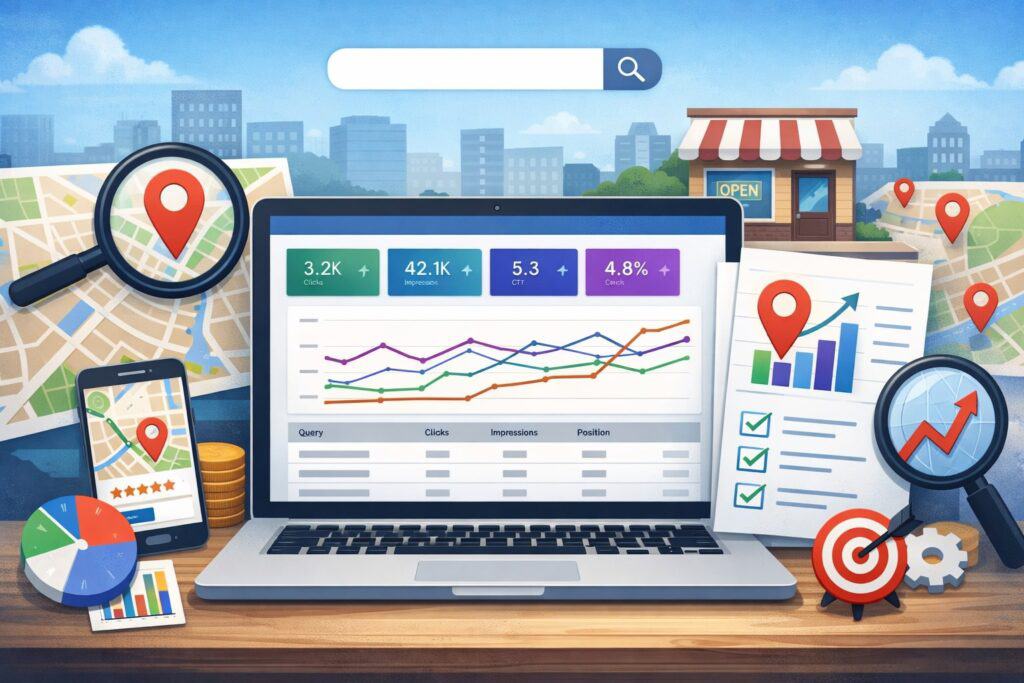
Google Search Console (GSC) is one of the most reliable sources for organic visibility because it shows impressions, clicks, and queries directly from Google Search. When you want to track local SEO performance beyond your Business Profile, GSC is your visibility foundation.
Google’s Performance report is designed to show how your site performs in Search, including metrics like clicks and impressions and query data. This is where you learn what local customers actually type, not what you assume they type.
What to track in Search Console for local SEO
- Queries with local intent: “near me,” “in [city],” “open now,” “best,” “closest,” and service + neighborhood terms
- Branded vs non-branded queries: Non-branded growth is often the true SEO win
- Pages: Which location or service-area pages earn impressions and clicks
- Devices: Local searches skew mobile; device split matters for conversion analysis
How to turn GSC into a local market research engine
To track local SEO performance intelligently, look for:
- Queries where you have high impressions but low CTR (title/meta and snippet improvements can unlock growth)
- Queries where you rank mid-pack (positions ~8–20) and can push into top results with targeted content and internal links
- Emerging service terms (often show up first in impressions before clicks rise)
GSC won’t show map-pack rankings directly, but it’s excellent for measuring organic local demand and how well your site captures it. Use it to decide what content to create next, what services to highlight, and which local pages need stronger relevance signals.
Use GA4 to Track Local SEO Conversions and Lead Quality
Local SEO without conversion tracking is just “traffic reporting.” To truly track local SEO performance, you need GA4 set up so organic search leads are measurable, comparable, and tied to business outcomes.
GA4 is event-based, which is powerful for local SEO because it lets you track user actions like calls, form submissions, appointment bookings, and key engagement behaviors. Modern GA4 guidance emphasizes structured event and conversion setup so you can reliably measure outcomes.
Local SEO conversions you should track in GA4
- Phone call clicks (tap-to-call on mobile)
- Contact form submits
- Appointment/booking confirmations
- “Get directions” clicks (especially on location pages)
- Email clicks
- Chat leads (if applicable)
- Quote request completions
- Store locator usage (if you have multiple locations)
How to connect GA4 to local SEO analysis
To track local SEO performance correctly, build a view of:
- Organic search conversions overall
- Conversions by landing page (especially city/service pages)
- Conversion rate by device (mobile usually dominates local)
- Engaged sessions and time-to-convert (local buyers may convert fast)
Don’t miss attribution basics
Organic conversions can be undercounted if tracking is sloppy (broken forms, cross-domain booking flows, missing thank-you events). A simple monthly analytics audit prevents “phantom drops” that look like SEO issues but are really tracking issues.
Event-level attribution practices and audits are commonly recommended for maintaining credible reporting in GA4.
When you track local SEO performance with GA4 conversions, you can finally answer the questions leadership cares about: Which locations generate the best leads? Which services convert? Which pages are underperforming? And what should we prioritize next month?
Track Local Rankings the Right Way (Because “Rank” Is Not One Number)
Local rankings are personalized by location. That means you can’t rely on a single “ranking” from your office or from a generic tool and assume it reflects what customers see across your market.
To track local SEO performance responsibly, you need a location-aware approach:
- Keyword set based on real services and real local language
- Grid or geo-based tracking (multiple points within your service area)
- Separate tracking for map results vs organic results (when possible)
How to build a useful local keyword set
Your keyword list should cover:
- Core service + city
- Service + neighborhood
- Service + “near me”
- “Best”/“top-rated” modifiers
- Emergency/urgent variants (“same day,” “24/7,” “open now”)
Then segment the set:
- High-intent money terms (priority)
- Supporting terms (blog and FAQ content)
- Branded protection terms (defense)
What to watch in local rank tracking reports
- Share of top 3 visibility across the grid (map pack focus)
- Movement consistency (are you improving across the map, or only in one corner?)
- Competitor overlap (who displaces you most often?)
Also, keep perspective: rankings should be a diagnostic tool, not the only KPI. Google itself highlights that local results are influenced by relevance, distance/proximity, and prominence—so rank changes can reflect real-world context shifts, not just “SEO quality.”
When you track local SEO performance with geo-aware ranking, you avoid the most common mistake: thinking you improved because one screenshot looked good.
Measure Reviews, Ratings, and Reputation Signals as Performance Drivers
Reviews impact local SEO in two ways: they influence conversion rate (human trust) and they contribute to prominence signals (market trust). Even when rankings hold steady, review improvements can increase calls and bookings—so reviews belong in any plan to track local SEO performance.
What to measure beyond “average rating”
- Total review count (per location)
- Review velocity (new reviews per month)
- Rating trend (rolling 90 days)
- Response rate (how often you reply)
- Response time (how quickly you reply)
- Keyword themes in reviews (service terms customers naturally mention)
How to tie reviews to business results
If you track local SEO performance properly, you’ll compare:
- GBP actions per view before and after review growth
- Landing page conversion rates before and after review widgets/testimonials
- Lead quality (if you track outcomes in CRM)
A practical monthly review workflow
- Ask consistently (ethical, policy-compliant)
- Respond to every review (especially negative ones) with calm, helpful language
- Pull 3–5 insights: what customers love, what they complain about, what services they mention most
- Feed those insights into service page copy and FAQ sections
Reviews are one of the few local SEO levers that improve both visibility and conversion. If you’re trying to track local SEO performance and you ignore reputation metrics, you’ll miss a major growth driver.
Track Local Landing Page Performance and On-Page Local Signals
Local SEO often wins or loses at the page level: your city pages, neighborhood pages, and service-area pages. To track local SEO performance, you need to measure whether these pages gain impressions, earn clicks, and convert visitors into leads.
KPIs for local landing pages
- Organic clicks and impressions (GSC)
- Engagement and conversions (GA4)
- Scroll depth and CTA clicks (GA4 events)
- Page speed and usability (Core Web Vitals checks as part of site health)
What “good” local pages do differently
Strong local pages typically include:
- Clear service description written for humans
- Local proof: testimonials, project highlights, case notes, service area references
- Strong CTAs (call, book, request quote)
- Supporting FAQs that match local intent queries
Because the Performance report in Search Console is built to show which queries and pages drive search traffic, it’s ideal for diagnosing which local pages are underexposed and which are underconverting.
Common measurement mistake to avoid
Don’t lump all locations into one page unless you truly operate as one location. If you have multiple service areas, track performance per page cluster. You can’t improve what you can’t isolate.
When you track local SEO performance at the page level, optimization becomes straightforward: improve relevance where impressions are low, improve snippet/CTR where impressions are high but clicks are low, and improve conversion elements where traffic is strong but leads are weak.
Monitor Citations, NAP Consistency, and Local Listings Health
Citations (business listings across directories and platforms) are less glamorous than rankings, but they still matter because they reinforce trust, reduce confusion, and support accurate business information distribution.
To track local SEO performance, don’t just “build citations” and forget them. Track citation health like an asset:
What to measure for listing health
- NAP consistency (name, address, phone)
- Correct categories and service descriptions
- Duplicate listings (especially dangerous)
- Wrong-pin map issues
- Inconsistent hours (holiday hours cause real revenue loss)
- Consistency of website URL and appointment links
Why this affects performance
If hours are wrong or the phone number is inconsistent, your “local SEO performance” might look fine in rankings but fail in revenue. Customers can’t convert if they can’t reach you.
A simple quarterly citation process
- Audit your top data sources and major directories
- Fix duplicates and merges
- Update hours seasonally
- Standardize naming conventions (suite numbers, abbreviations)
Local SEO is a trust game. Citations are part of the trust layer. If you want to track local SEO performance beyond vanity metrics, listings health belongs in your reporting.
Build a Local SEO Dashboard That Executives Actually Understand
The best dashboard is not the biggest dashboard. If you want stakeholders to value your work, your reporting must connect local visibility to leads and sales.
A high-performing dashboard for tracking local SEO performance usually includes:
Visibility (leading indicators)
- GBP views (Search + Maps)
- GSC impressions and clicks for local-intent queries
- Geo-grid share of visibility for priority keywords
Engagement (mid-funnel)
- GBP actions (calls, direction requests, website clicks)
- Organic landing page engagement (engaged sessions, CTA clicks)
Conversions (business outcomes)
- Organic form leads, call leads, bookings
- Conversion rate by location page
- Value per lead (if you can estimate or pull from CRM)
Reputation (trust)
- Review count and rating trend
- Review velocity
Keep the dashboard stable month-to-month so trends are easy to see. Use annotations for major changes (site edits, category updates, new location launch, competitor moves). The goal is to make local SEO performance undeniable, not debatable.
Future Predictions: How Local SEO Tracking Will Evolve Next
If you want to track local SEO performance for the next 12–24 months, you should prepare for three big shifts.
1) More answers without clicks (and different “visibility” definitions)
Search experiences increasingly provide direct answers, which can reduce website clicks even when your brand visibility rises. That means you’ll rely more on:
- Business Profile actions (calls, directions)
- Brand search lift
- Assisted conversion measurement (where organic supports conversion later)
Google Business Profile performance metrics become even more important in this world because they capture actions that happen without a site visit.
2) Stronger measurement around “real outcomes”
Leadership will ask: “How many booked jobs came from local SEO?” Expect more pressure to connect SEO to:
- CRM outcomes
- Phone call quality
- Appointment show rates
- Revenue attribution modeling
GA4 event design and audits will remain central to credible reporting.
3) Hyper-local tracking becomes standard
As markets get more competitive, simple city-level tracking won’t be enough. Geo-grid rank tracking, competitor visibility share, and neighborhood-level content performance will become normal even for mid-sized businesses.
The best teams will treat local SEO measurement like a continuous optimization loop: measure → learn → test → repeat.
FAQs
Q.1: How long does it take to see results when you track local SEO performance properly?
Answer: You can often see early movement in visibility indicators (impressions, Business Profile engagement) within a few weeks, especially if you fix major listing issues or improve relevance on key pages.
Conversion improvements typically take longer because they depend on traffic volume, reputation signals, and the quality of your funnel. The best approach is to set 30/60/90-day expectations: 30 days to stabilize tracking and baseline, 60 days to see directional shifts, and 90 days to validate what’s driving lead growth.
Q.2: What is the most important KPI to track local SEO performance?
Answer: If you must pick one, track local leads from organic + Business Profile actions (calls, direction requests, bookings) because those map most directly to revenue. Rankings and impressions matter, but they are supporting metrics. Business Profile performance data helps you track actions directly from Search and Maps.
Q.3: Why do local rankings look different depending on where I search from?
Answer: Local results depend heavily on the searcher’s location and intent. That’s why a single ranking check from one ZIP code can be misleading. Use geo-based tracking (grid style) for priority terms so you can track local SEO performance across your real service area rather than one point on the map.
Q.4: Can I track local SEO performance without paid tools?
Answer: Yes. You can go far with Google Business Profile performance metrics, Google Search Console, and GA4. GSC’s Performance report shows queries, clicks, and impressions directly from Google Search.
Paid rank trackers and listing tools become helpful when you need geo-grid precision, competitor share-of-voice, and citation automation.
Q.5: How do I know if my local SEO performance drop is real or just tracking issues?
Answer: Check tracking first: GA4 events, form functionality, phone click tracking, and any booking flow changes. Then review Business Profile performance and Search Console trends. If visibility is stable but leads dropped, it may be conversion friction. If impressions dropped sharply, it may be visibility loss, technical indexing problems, or competitor changes.
Conclusion
To track local SEO performance in a way that actually drives growth, you need more than rankings. You need a measurement system that connects local visibility to customer actions and real conversions.
Use this monthly system:
- Review Google Business Profile performance (views + actions) to understand map visibility and direct engagement.
- Review Search Console Performance to measure local organic impressions, clicks, and the queries customers really use.
- Review GA4 conversions to confirm organic leads, conversion rates, and landing page performance.
- Review rankings with geo-awareness so you don’t fool yourself with one-location checks.
- Review reputation signals (reviews, rating trends, response rate) to strengthen trust and conversion.
- Annotate changes and run small tests so your reporting becomes an optimization engine.
When you consistently track local SEO performance this way, you stop guessing. You’ll know which locations need attention, which services drive the best leads, which pages deserve investment, and what competitors are doing differently.
And as search evolves toward more zero-click behaviors and richer local experiences, your ability to track actions—calls, directions, bookings, and qualified leads—will be the advantage that keeps your local growth compounding.