Image Optimization for Local SEO
Images do more than make a local business website look attractive. When used correctly, they help customers understand a business before they call, book, visit, or buy.
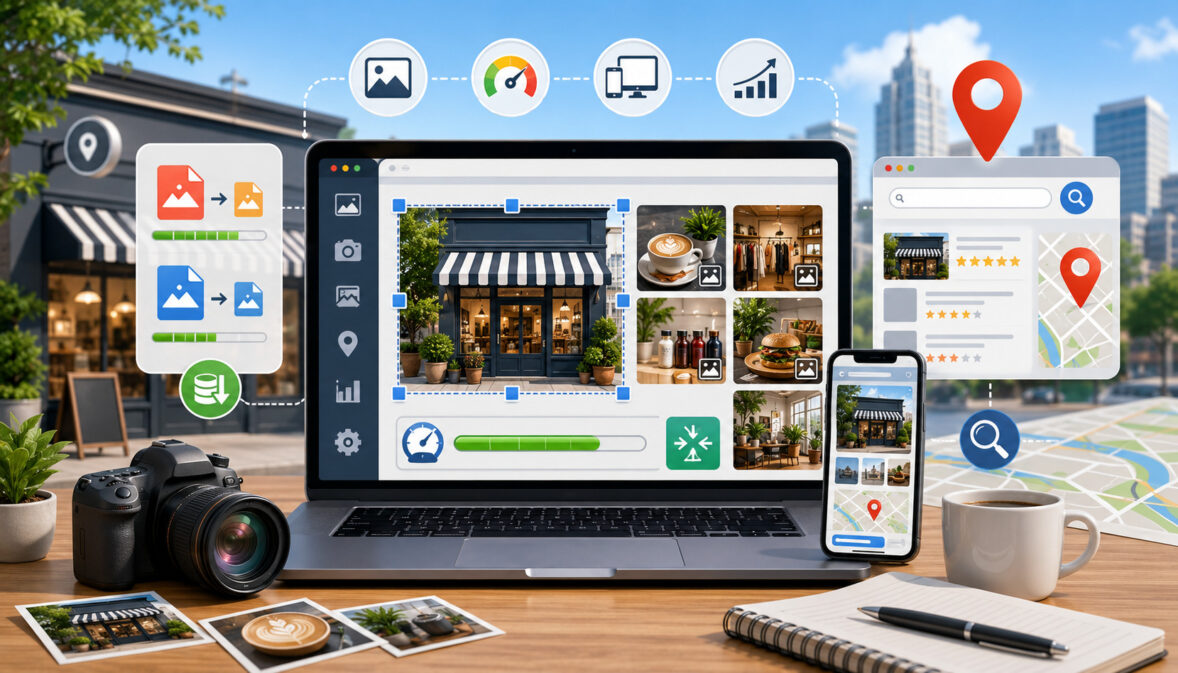
Image optimization for local SEO is the process of preparing business photos so they load quickly, describe the real business accurately, support local landing pages, improve Google Business Profile quality, and create a better experience for local searchers.
For small businesses, images often answer questions that text alone cannot. A customer may want to see the storefront before driving there, check the seating area before making a reservation, view a treatment room before booking an appointment, or compare completed project photos before requesting an estimate. These visual details can influence confidence, engagement, and conversion rate.
Image optimization does not mean forcing keywords into every file name or alt text field. It means choosing relevant photos, reducing file size, using descriptive file names, writing useful alt text, selecting the right format, placing images in the right context, and keeping Google Business Profile photos current. When these steps are handled responsibly, images become part of a stronger local search experience.
What Image Optimization for Local SEO Means
Image optimization for local SEO means preparing images so they help both people and search systems understand a local business page or profile.
It includes the technical side of website image optimization, such as file size, format, compression, dimensions, responsive display, and lazy loading. It also includes the content side, such as image relevance, alt text, captions, file names, location context, and visual trust signals.
For a local business, optimized images may include storefront photos, interior photos, service photos, product photos, team photos, menu photos, before-and-after photos, project photos, and Google Business Profile photos.
These images should show what customers can realistically expect. A photo of the actual entrance, waiting area, team, vehicle, product display, or completed service is usually more useful than a generic stock image.
Local SEO image optimization also supports accessibility. Alt text helps users who rely on screen readers understand meaningful images. Google’s accessibility guidance explains that alt text should act as a functional equivalent for users who cannot view the image, and that context matters when writing it.
Search engines also use image context. Google’s image SEO documentation recommends helping search engines discover images, using supported image formats, optimizing for speed and quality, using responsive images, and making landing pages useful.
Why Images Matter for Local Search Visibility
Images can support customer confidence, but they should be viewed as one part of a complete local SEO strategy.
Google explains that local search visibility is influenced by relevance, distance, and prominence, so businesses should combine strong visuals with complete business information, accurate listings, helpful content, and trustworthy engagement signals.
Businesses can review Google’s guidance on how to improve local ranking on Google to better understand how local search visibility works.
Images can support local search visibility indirectly by improving the usefulness, trust, and performance of a page or profile. They do not guarantee local rankings by themselves, but they can strengthen the experience customers have after discovering a business in search results, map results, local pack listings, or image results.
A fast-loading page with clear, relevant local landing page images is easier for mobile visitors to use. A Google Business Profile with accurate business photos can help searchers feel more confident before calling, requesting directions, or visiting.
Google’s local ranking guidance emphasizes relevance, distance, and prominence, and business profile quality is part of how customers evaluate a business in local search results.
Images also affect page experience. Large, uncompressed images can slow mobile page speed, and slow pages can frustrate users. Web performance guidance explains that image requests are often one of the biggest opportunities for performance improvement, especially when sites serve one oversized image to every device.
Images Help Customers Understand the Business
Customers often want visual proof before taking action. Storefront photos show where to go. Interior photos show atmosphere, cleanliness, seating, waiting areas, or accessibility.
Team photos help customers feel more familiar with the people they may meet. Service photos show how work is performed. Product photos help customers compare options before visiting or ordering.
For example, a dental practice can show its reception area, treatment room, building entrance, and parking area. A restaurant can show menu items, dining space, takeout packaging, and exterior signage. A home service business can show vehicles, equipment, uniforms, and completed work.
These photos reduce uncertainty. When customers know what to expect, they may be more likely to call, book, request directions, or submit a form.
Images Improve Local Landing Pages
Local landing pages and location pages should feel specific to the location they represent. Images can support that by showing the actual office, storefront, service area, staff, nearby entrance, parking area, or completed local work.
A location page that uses the same generic photo as every other page may look thin or copied. A page with unique local images feels more useful and credible. Local landing page images should match the search intent of the page.
If the page is about emergency plumbing in a specific service area, the images should support that service context rather than show unrelated office stock photos. Images also break up long content, improve readability, and help visitors scan the page faster.
Images Support Trust and Engagement
Authentic local photos act as visual trust signals. They show that the business is real, active, and connected to the community it serves. This is especially important for businesses where customers care about safety, cleanliness, professionalism, or quality of work.
Generic stock photos are not always bad, but relying on them too heavily can make a local business page feel less specific. Customers may wonder whether the business has real experience, an actual local presence, or current operations.
Optimized business photos help create confidence. They make the website or profile feel less anonymous and more useful.
Image Optimization for Local SEO Checklist Table
| Optimization Task | Why It Matters | Where to Use It | Common Mistake | Best Practice |
| Use real business photos | Builds trust and local relevance | Website, location pages, Google Business Profile | Using only generic stock images | Show real storefronts, teams, services, products, and projects |
| Rename image files | Helps organize assets and provide context | Before upload | Keeping names like IMG_2048.jpg | Use descriptive file names with hyphens |
| Write accurate alt text | Supports accessibility and context | Website images | Stuffing repeated keywords | Describe what the image shows |
| Compress images | Improves load speed | Website pages and galleries | Uploading large camera files | Reduce file size while keeping quality |
| Resize images | Prevents unnecessary file weight | Hero images, thumbnails, galleries | Uploading oversized images | Match dimensions to display needs |
| Choose the right format | Balances quality and performance | Photos, graphics, icons | Using PNG for every photo | Use JPEG or WebP for photos, PNG for transparency |
| Use relevant captions | Clarifies image meaning | Projects, galleries, location pages | Captions that repeat keywords | Explain the image when helpful |
| Add GBP photos | Improves profile usefulness | Google Business Profile | Uploading once and forgetting | Keep photos current and accurate |
| Avoid duplicate images | Supports unique location content | Multi-location pages | Reusing the same image everywhere | Use unique photos for each branch |
| Check mobile display | Improves user experience | All pages | Images cropping awkwardly | Review pages on mobile before publishing |
| Support accessibility | Helps all users understand content | Website images | Important text only inside images | Add visible page text and useful alt text |
Use Real Local Business Photos Whenever Possible
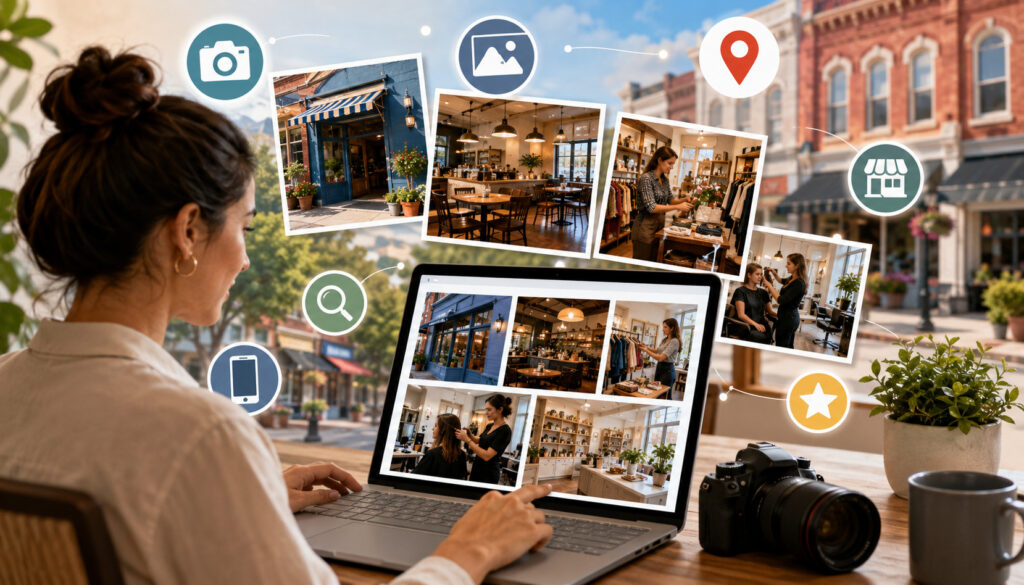
Real photos are one of the most useful assets for image SEO for local businesses. They help customers verify what the business looks like, what it offers, who works there, and what kind of experience they can expect. For local searchers, these details matter because many decisions happen quickly on mobile devices.
Original photos also support stronger local business image SEO because they provide specific context. A real storefront photo shows signage, entrance details, parking clues, and building appearance. A real service photo shows equipment, process, and professionalism. A real product photo shows current inventory or menu presentation.
Stock images may be useful for blog graphics or abstract concepts, but they should not replace real local SEO photos on key pages. Customers looking for a restaurant, clinic, contractor, retail store, or appointment-based business often want proof that the business is real and relevant to their needs.
Storefront and Exterior Photos
Exterior photos help customers recognize a physical location before visiting. They can show the entrance, building, signage, parking area, ramp, sidewalk access, or nearby visual markers. These details can reduce confusion and improve the customer experience.
For local SEO photos, storefront images are especially useful on location pages and Google Business Profile. They show that the listing or page represents a real place. This is helpful for retailers, restaurants, healthcare offices, professional services, salons, repair shops, and other customer-facing businesses.
A good exterior photo should be clear, current, and taken in good lighting. Avoid photos where the sign is blocked, the building is hard to identify, or the entrance is misleading.
Interior Photos
Interior photos help customers evaluate comfort, cleanliness, layout, atmosphere, and accessibility. This matters for restaurants, clinics, offices, salons, gyms, retail stores, schools, studios, and appointment-based services.
A restaurant may show seating, counters, pickup areas, and dining atmosphere. A healthcare office may show the reception area, treatment rooms, and accessible spaces. A retail store may show aisles, displays, checkout areas, and product sections.
Interior images should be honest. Do not over-edit them so much that the real experience feels different when customers arrive. The goal is not perfection; it is clarity and trust.
Team and Service Photos
Team photos help humanize a business. They show real people behind the service and can make customers feel more comfortable before contacting the business. Service photos show the work environment, process, tools, uniforms, or equipment.
For home service businesses, team and service photos are especially important because customers may invite workers into their homes. Photos of branded vehicles, uniforms, clean equipment, and professional work practices can create confidence.
For professional services, team photos can support credibility. For healthcare, wellness, and appointment-based businesses, they may reduce anxiety by helping visitors know who they may meet.
Product and Project Photos
Product photos, menu photos, portfolio images, project photos, and before-and-after photos help customers evaluate quality. These images are useful for restaurants, retailers, contractors, beauty businesses, home service providers, repair businesses, and design-related services.
Before-and-after photos should be truthful and clearly presented. Avoid misleading lighting, exaggerated claims, or unclear comparisons. Project images should reflect real work and, when appropriate, include captions explaining what the customer is seeing.
Optimize Image File Names for Local SEO
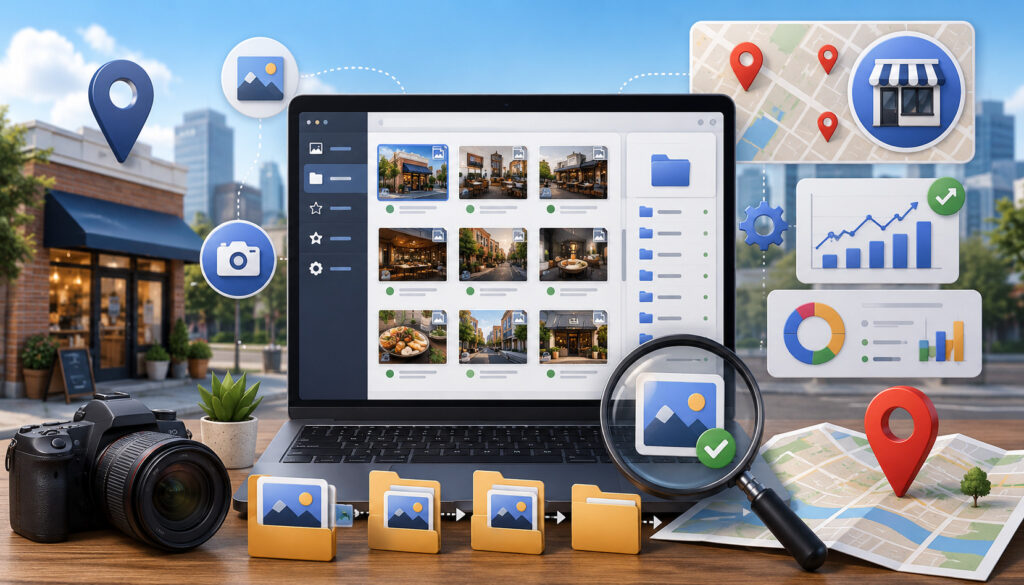
Image file names for SEO are a small but useful part of image optimization. A file name gives a basic clue about what the image contains before it is uploaded. While file names alone will not transform local rankings, descriptive names are better than random camera names and help teams keep assets organized.
A good image file name should be short, descriptive, and accurate. Use hyphens between words. Avoid long strings of repeated local keywords. The goal is to describe the image, not manipulate search systems.
Examples:
- dental-office-front-entrance.jpg
- restaurant-patio-seating.jpg
- roof-repair-before-after.jpg
- retail-store-window-display.jpg
- physical-therapy-treatment-room.webp
Use Descriptive File Names
A file name like dental-office-front-entrance.jpg is more useful than IMG_2048.jpg because it describes the image before upload. It helps website managers understand what the file is and gives search systems a small contextual signal.
Descriptive file names are also helpful for large websites and multi-location businesses. When hundreds of images are stored in a media library, clear naming reduces mistakes. It prevents a photo from one location being added to the wrong branch page.
Use simple words that match the image. Do not make the file name longer than necessary.
Add Local Context Naturally
Local context can be added when it accurately describes the image. A neighborhood, city, branch, service area, or location name may be appropriate if the photo is truly connected to that place.
For example, a multi-location business might use a file name like downtown-office-reception-area.jpg or northside-storefront-entrance.jpg. A service business might use kitchen-remodel-finished-project.jpg if the image shows that type of work.
Avoid adding location terms to every image if they do not help describe the photo. Accuracy is more important than repetition.
Avoid Keyword Stuffing in File Names
Keyword stuffing makes file names look unnatural and unhelpful. A file name such as best-local-dentist-dentist-near-me-dental-office-dental-clinic.jpg is excessive. It does not help users, and it creates a spammy impression.
Use one clear description. Include service or local context only when relevant. For local search image optimization, quality and accuracy matter more than repetition.
Write Helpful Alt Text for Local Images
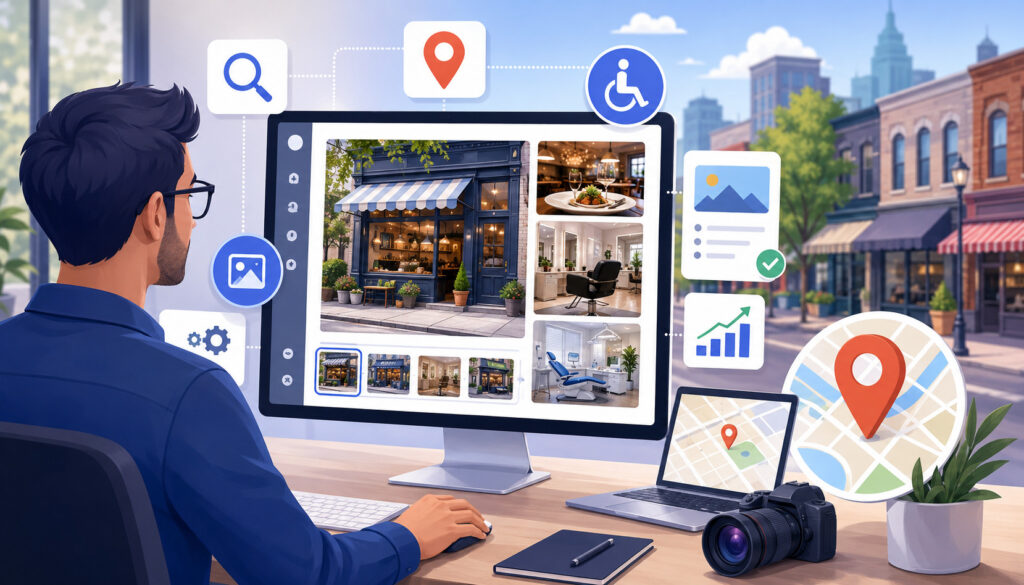
Image alt text for local SEO should describe meaningful images accurately. Alt text is used by screen readers, appears when an image does not load, and can help search systems understand image context. It should be useful, concise, and relevant to the page.
Good alt text describes what the image shows. For example:
- “Front entrance of a dental office with accessible ramp.”
- “Technician repairing an outdoor air conditioning unit.”
- “Dining area with booth seating and counter service.”
- “Before-and-after photo of a repaired hardwood floor.”
Alt text should not be treated as a keyword storage field. Repeating the same local keyword in every image creates a poor accessibility experience and may look over-optimized.
Describe What the Image Shows
The first job of alt text is description. A visitor who cannot see the image should still understand its purpose. If the image shows a storefront, describe the storefront. If it shows a technician, describe the technician and the service context. If it shows a product display, describe the visible product or display.
The description should match the page. On a location page, an image of a reception area might use alt text such as “Reception area with seating near the front desk.” On a service page, a project image might say “Finished tile installation in a residential bathroom.”
Keep it useful and direct.
Include Local Relevance Only When Accurate
Local relevance can be included in alt text when it is truthful and helpful. If the image shows a specific location, branch, neighborhood, or service area, mentioning that context may make sense.
For example, “Exterior entrance of the downtown clinic” may be appropriate for a location page. But adding a city name to every product image or decorative photo is not necessary.
Local image SEO works best when local details are visible, accurate, and supported by the surrounding page content.
Keep Alt Text Natural and Useful
Good alt text is usually short. It should not read like a list of keywords. It should not include repeated phrases such as “best,” “near me,” or multiple location names unless those words genuinely describe the image.
Avoid:
- “Best plumber near me local plumber emergency plumber city plumber”
- “Top restaurant food restaurant dining restaurant near me”
- “Local SEO image optimization business photo service photo”
Better:
- “Plumber replacing a pipe under a kitchen sink.”
- “Plate of grilled salmon served with vegetables.”
- “Storefront entrance with business signage.”
Choose the Right Image Format
For website images, businesses should also follow Google’s image SEO best practices, which explain how supported formats, useful landing pages, responsive images, image sitemaps, and fast-loading visuals can help images become easier to discover and understand.
Choosing the right image format helps balance quality, file size, and usability. The most common formats for local business websites include JPEG, PNG, WebP, and SVG. Each has a different purpose.
JPEG is widely used for standard photos. PNG is useful for graphics that require transparency. WebP can reduce file size while keeping good visual quality, when supported by the website setup. SVG is useful for simple icons and scalable graphics, not for regular photographs.
Google’s image SEO guidance recommends using supported formats and optimizing images for speed and quality.
JPEG for Standard Photos
JPEG is commonly used for business photos, service photos, product photos, team photos, restaurant photos, and local landing page images. It is widely supported and can keep photo quality acceptable at a reasonable file size.
JPEG works well for detailed photographs with many colors. However, repeated editing and saving can reduce quality. Businesses should keep original copies separately and upload optimized versions for the website.
For most standard local business images, JPEG is still a practical format when properly resized and compressed.
PNG for Graphics and Transparency
PNG is useful for images that need transparency, sharp edges, or lossless quality. It may be used for icons, simple graphics, interface elements, or images with text overlays.
However, PNG files are often larger than JPEG or WebP for photos. Using PNG for large photo galleries can slow down a website unnecessarily.
For local SEO image optimization, PNG should be used intentionally. It is not the best default format for every image.
WebP for Better Compression
WebP can help reduce image file size while maintaining strong visual quality. This can support faster pages, especially for image-heavy websites, galleries, service pages, and location pages.
The main consideration is website compatibility and workflow. Many modern content systems support WebP, but businesses should confirm that images display correctly across devices and browsers.
When implemented correctly, WebP can be a strong option for website image optimization and mobile page speed.
Image Format Comparison Table
| Format | Best Use | Strengths | Drawbacks | Local SEO Use Case | Optimization Tip |
| JPEG | Standard photos | Good quality, broad support, smaller than PNG for photos | Can lose quality with heavy compression | Storefront, team, product, service, and project photos | Compress carefully and avoid repeated re-saving |
| PNG | Graphics and transparency | Sharp details, transparency support | Larger file sizes for photos | Icons, graphics, diagrams, transparent images | Avoid using PNG for large photo galleries |
| WebP | Modern web photos | Strong compression and quality balance | Requires compatible setup | Local landing pages, galleries, blog images | Test display after conversion |
| SVG | Simple vector graphics | Scales cleanly, small for simple shapes | Not for photographs | Icons, logos, simple illustrations | Use for simple graphics, not business photos |
Compress Images Without Hurting Quality
Image compression for SEO is the process of reducing file size while keeping images visually clear. Large files can slow down local landing pages, service pages, blog posts, and product galleries. This matters because local searchers often browse on mobile devices and expect pages to load quickly.
Compression should not make photos blurry, distorted, or unprofessional. A low-quality image can hurt trust. The right approach is to reduce unnecessary file weight while preserving enough detail for customers to evaluate the business.
Businesses can use built-in content system settings, image editing software, or general compression tools. The specific tool matters less than the outcome: clear images, smaller files, and fast pages.
Why File Size Matters
Oversized images require more data to download. On mobile connections, this can slow page load time and make visitors leave before viewing important content. Large images can also affect Core Web Vitals, especially when a hero image or large above-the-fold image loads slowly.
Web performance guidance notes that images are often a major performance opportunity. Serving appropriately sized images instead of one oversized file to every device can improve the experience.
For local businesses, speed matters because many visitors are ready to take action. A slow page can interrupt that intent.
Balance Quality and Speed
Image optimization is not about making every file as tiny as possible. It is about balancing quality and speed. A restaurant menu photo must still look appetizing. A contractor’s project photo must still show craftsmanship. A healthcare office photo must still appear clean and professional.
Over-compression can create artifacts, blur, or unnatural colors. Under-compression can slow down the page. Review the final image visually before publishing.
Test Images After Compression
After compressing an image, view it on desktop and mobile. Check whether faces, products, signs, food, rooms, and project details still look clear. Also check whether the page loads smoothly and whether the image appears at the right size.
Testing is especially important for hero images, gallery images, before-and-after photos, and Google Business Profile photos. These visuals directly influence trust.
Resize Images for Website Use
Resizing images means changing the dimensions of an image so it matches how it will appear on the website. A full-resolution camera photo may be far larger than needed for a local landing page. Uploading huge files and relying on the website to shrink them visually can waste bandwidth.
Different image placements need different dimensions. Hero images, thumbnails, gallery images, blog images, product images, and location page images do not all need the same size. A thumbnail should not use the same large file as a full-width banner.
Consistent dimensions also improve design quality. Pages look cleaner when images align properly, grids stay balanced, and galleries feel organized.
Avoid Uploading Oversized Photos
Modern phones and cameras can create very large photos. These files may be useful for printing or archiving, but they are often too heavy for regular website use.
Before uploading, resize the image to match its intended display. A small staff profile photo, for example, does not need the same dimensions as a large homepage hero image.
Oversized images are one of the easiest issues to fix in website image optimization.
Use Consistent Dimensions
Consistent image dimensions help local business pages look polished. Service grids, product galleries, team pages, and location pages look more professional when images share a similar shape and size.
For multi-location businesses, consistent dimensions also help maintain brand standards across branches. Each location can use unique photos while still following the same visual structure.
Improve Mobile Page Speed With Optimized Images
Mobile page speed is especially important for local search. Many users search while they are near a business, comparing options, asking for directions, checking hours, or deciding whether to call. If images slow the page, the experience becomes frustrating.
Optimized images can support better mobile performance through compression, resizing, responsive images, lazy loading, and stable page layouts. These improvements do not guarantee local rankings, but they make the page easier to use.
Core Web Vitals also matter for page experience. Images can influence Largest Contentful Paint when a main image loads slowly and Cumulative Layout Shift when image dimensions are not reserved before loading.
Responsive Images
Responsive images help a website serve appropriately sized images to different devices. A mobile visitor should not have to download the same oversized image served to a large desktop screen.
Responsive image techniques can reduce wasted data and improve speed. They are especially useful for image-heavy local sites, restaurant menus, galleries, portfolios, and multi-location pages.
The technical setup may depend on the website platform, theme, or developer support.
Lazy Loading
Lazy loading delays off-screen images until a user scrolls near them. This can help important content load faster, especially on long pages with galleries, service sections, or multiple location photos.
Lazy loading should be used carefully. Important above-the-fold images, such as a main hero image, may need to load immediately. Lower-page gallery images are often better candidates for lazy loading.
Avoid Layout Shifts
Layout shifts happen when page elements jump around as images load. This can occur when image width and height are not defined. For users, it feels unstable and frustrating.
Setting image dimensions helps the browser reserve space before the image loads. This supports a smoother mobile experience and can improve perceived quality.
Optimize Images for Google Business Profile
Image optimization for Google Business Profile is about keeping profile photos accurate, current, relevant, and useful. Google Business Profile photos may include a logo, cover photo, exterior photos, interior photos, team photos, product photos, menu photos, service photos, project photos, and customer-facing environment photos.
These photos help customers evaluate the business directly from search and map results. The profile should reflect what customers can actually expect. Misleading, outdated, blurry, heavily edited, or unrelated images can reduce confidence.
Google’s Business Profile page explains that a profile can help businesses appear on Search and Maps and include photos, contact information, directions, and other business details.
Upload Accurate Business Photos
Accurate photos should show the real location, team, products, services, or environment. A storefront photo should match the current entrance. A menu photo should match current offerings. A service photo should represent real work.
For service area businesses without a public storefront, accurate photos may include vehicles, equipment, uniforms, completed work, and team photos. Avoid suggesting that customers can visit an address if the business does not serve customers there.
Keep Photos Fresh
Fresh photos show that a business is active. Updating images over time can reflect seasonal displays, renovated interiors, new menu items, updated equipment, new project examples, or current team members.
Businesses do not need to upload photos every day. A steady habit of reviewing and refreshing photos is usually more practical.
Avoid Misleading or Low-Quality Photos
Avoid blurry photos, copied images, unrelated graphics, heavily filtered images, or photos that misrepresent the business. Profile photos should help customers decide, not confuse them.
Low-quality images can make a business feel neglected. Misleading images can create disappointment when customers arrive or book.
Google Business Profile Photo Checklist Table
| Photo Type | Purpose | Best Use | Common Mistake | Optimization Tip |
| Logo | Helps brand recognition | Profile identity | Uploading a blurry version | Use a clean, properly cropped image |
| Cover photo | Creates a strong first impression | Main profile visual | Using a generic graphic | Choose a photo that represents the business clearly |
| Exterior | Helps customers find the location | Storefront, entrance, signage | Outdated signage | Update when the exterior changes |
| Interior | Shows atmosphere and experience | Seating, waiting rooms, layout | Dark or cluttered photos | Use clear lighting and honest views |
| Team | Builds familiarity | Staff, service providers, reception | Overly staged photos | Show approachable, professional people |
| Product | Shows what customers can buy | Retail, menus, displays | Poor lighting | Use clear, current product photos |
| Service | Shows work in action | Home services, clinics, repairs | Unclear process photos | Show real work safely and professionally |
| Menu | Helps customers evaluate options | Restaurants and food services | Outdated items or prices | Keep menu visuals current |
| Project | Demonstrates quality | Contractors, salons, repair work | Misleading before-and-after images | Use truthful comparisons and context |
| Customer-facing environment | Shows experience | Lobbies, counters, pickup areas | Empty or confusing views | Show useful spaces customers will use |
Use Images on Local Landing Pages Strategically
Images on local landing pages should support the purpose of the page. A location page should help visitors understand that specific location. A service area page should help visitors understand the service, coverage, process, or completed work. A product page should help visitors evaluate what is available.
Every image should have a reason to be there. Good reasons include showing the location, demonstrating a service, building trust, explaining a process, highlighting a product, showing the team, or helping visitors navigate the visit.
If a page is about a specific service in a specific area, the images should reinforce that topic. Surrounding text, headings, captions, NAP details, and calls to action should work together.
Match Images to Page Intent
Page intent matters. A visitor on a location page may want to confirm address, hours, parking, staff, services, or appointment options. A visitor on a service page may want proof of quality, process, equipment, or results.
Images should answer those needs. A local landing page for a retail store might include storefront, interior, product display, and checkout area photos. A service page might include technicians, equipment, jobsite photos, and finished results.
Add Captions When Helpful
Captions can explain what an image shows, especially when the image needs context. A project photo may benefit from a caption explaining the type of work completed. A location image may identify the entrance or parking area. A before-and-after photo may explain the service shown.
Captions should be useful, not repetitive. They are especially helpful for galleries, portfolios, case-style project pages, and service examples.
Avoid Generic Stock Images
Generic stock images can make a local page feel less specific. If every competitor uses similar photos of smiling people, laptops, handshakes, or random buildings, the page may not stand out.
Use real photos whenever possible. If stock imagery is needed for a blog post or abstract topic, balance it with original business photos on important local pages.
Image Optimization for Multi-Location Businesses
Multi-location businesses need a structured approach to image optimization. Each branch, office, clinic, restaurant, or store should have its own accurate photo set. Repeating the same image across every location page can make pages feel duplicated and less useful.
Each location should have unique storefront photos, interior photos, team photos, service or product photos, and Google Business Profile photos. At the same time, the business should maintain consistent image quality and brand standards.
For broader multi-location SEO planning, related guidance on multi-location local SEO best practices can support location page strategy, listing consistency, and local search organization.
Use Unique Photos for Each Location
Unique photos show that each page represents a real branch or service area. They also help customers recognize the correct location before visiting.
A restaurant group should show each dining room and storefront. A healthcare group should show each office and waiting area. A retailer should show each store layout and local display. A contractor serving multiple areas may show relevant project examples by service area when appropriate.
Keep Brand Consistency
Brand consistency does not mean using identical images everywhere. It means maintaining similar quality, lighting standards, image dimensions, and professional presentation.
Create internal photo guidelines. Include examples of acceptable storefront photos, team photos, interior images, project photos, and product images. This helps each location produce useful images without losing brand consistency.
Organize Image Assets by Location
Asset organization prevents mistakes. Use folders by location, consistent file names, upload dates, and notes about where each image is used.
For example:
- /location-downtown/exterior/
- /location-downtown/interior/
- /location-north/team/
- /location-west/projects/
This helps marketers avoid placing the wrong branch image on the wrong page or profile.
Image SEO for Service Area Businesses
Service area businesses often do not rely on a public storefront. That does not mean they lack image opportunities. They can use service vehicles, uniforms, equipment, jobsite photos, completed work, before-and-after examples, and team photos to build credibility.
For service area businesses, accuracy is especially important. Do not use images that imply customers can visit a location if the business does not accept visitors there. Instead, focus on real services, tools, teams, and results.
Show Real Work and Equipment
Real work photos help customers understand capabilities. A plumber can show tools, vans, pipe repairs, water heater installations, or drain equipment. An HVAC business can show technicians, units, safety practices, and completed installations. A cleaning business can show equipment, uniforms, and finished spaces.
These images support trust because they show readiness and professionalism. They also make service pages more useful than pages that only include text.
Use Before-and-After Photos Carefully
Before-and-after photos can be powerful, but they must be truthful. Use similar angles and lighting when possible. Do not exaggerate results. Do not show sensitive customer information or private spaces without permission.
Captions can help explain what changed. For example, “Before-and-after view of a repaired drywall section” is more useful than a vague caption.
Image SEO for Restaurants, Retailers, and Local Services
Different business types need different image strategies. The best local search image optimization plan reflects how customers make decisions in that industry. A restaurant needs food and atmosphere images. A contractor needs project proof. A healthcare office needs comfort and trust-building visuals. A retailer needs product and store layout images.
Restaurants and Food Businesses
Restaurants should use menu photos, dining area photos, exterior photos, staff photos, takeout photos, and ordering visuals. Food images should look appetizing but realistic. Avoid over-editing menu photos so heavily that customers feel misled.
Dining area photos help customers understand seating, atmosphere, and group suitability. Exterior photos help visitors find the location.
Retail Stores
Retail stores should show product displays, store layout, seasonal displays, storefront photos, checkout areas, and featured inventory. These images help customers decide whether the store has what they need before visiting.
Seasonal photos can be useful, but they should be updated when displays change.
Home Service Businesses
Home service businesses should show vehicles, tools, teams, equipment, completed work, and project details. These images help customers evaluate professionalism and trust before booking.
Uniforms, clean vehicles, and organized equipment can function as visual trust signals.
Healthcare and Appointment-Based Businesses
Healthcare and appointment-based businesses should show waiting areas, treatment rooms, accessibility features, staff, reception areas, and patient-facing spaces. These images can help visitors feel more prepared before an appointment.
Images should be respectful, accurate, and privacy-conscious.
Professional Services
Professional services can use office photos, meeting rooms, team photos, reception areas, and consultation spaces. These visuals help customers evaluate credibility and comfort.
Avoid using only generic handshake or laptop images. Real office and team photos are usually more useful.
Beauty and Wellness Businesses
Beauty and wellness businesses should show service rooms, atmosphere, staff, tools, results, and customer experience areas. Before-and-after photos can be useful when they are accurate and permission-based.
Clear lighting matters because customers often evaluate quality visually.
Local Contractors
Contractors should show project photos, materials, jobsite organization, process photos, and finished work. These images help customers evaluate craftsmanship and style.
Captions can clarify project type, materials, or service context.
Multi-Location Brands
Multi-location brands should maintain unique photo sets for each branch while following consistent standards. Each location should feel real and specific, not copied from a central template.
Should Local Businesses Use Geotagged Images?
Geotagging means adding location information to an image file, often through EXIF data. Some businesses use geotagging to organize photo libraries or document where images were taken. However, its SEO value should not be exaggerated.
Local businesses should not rely on geotagging as a shortcut for image optimization for local rankings. Visible relevance matters more. Page content, business details, location pages, alt text, captions, Google Business Profile accuracy, and real photos are more useful for customers.
What Geotagging Means
Geotagging can attach location information to an image file. This may help a business internally organize photos by location or project. It may also support authenticity when photos are part of a documented workflow.
However, hidden metadata should not be treated as a ranking guarantee. Search systems and platforms may handle metadata differently, and users usually do not see it.
Focus on Visible Relevance First
Visible relevance is what customers can actually evaluate. A storefront photo, location-specific caption, accurate address, helpful page copy, and clear service context do more for users than hidden EXIF data alone.
If geotagging is used, it should be accurate and privacy-conscious. Do not expose sensitive location data from private customer homes, restricted facilities, or employee locations.
Use Structured Data and Image Context Where Helpful
Structured data and surrounding content can help search systems understand a page and its images. For local businesses, this may include LocalBusiness structured data, product structured data where relevant, service page context, image captions, headings, and image sitemaps.
Beginners do not need to overcomplicate this. Start with strong page content, relevant headings, descriptive images, helpful alt text, and clear captions. Larger or image-heavy sites may benefit from image sitemaps and structured data support.
Google’s image SEO guidance includes using image sitemaps, responsive images, supported formats, and useful landing pages to help with image discovery and understanding.
Surround Images With Relevant Content
Images work best when surrounded by relevant text. A photo of a storefront should appear near location information. A service photo should appear near the service description. A project photo should appear near explanation of the work.
Headings, paragraphs, captions, and nearby calls to action all help connect the image to the page’s purpose.
Use Image Sitemaps When Appropriate
An image sitemap can help larger websites or image-heavy businesses make images easier to discover. This may be useful for portfolios, galleries, product catalogs, menus, multi-location websites, and project-heavy service businesses.
Small websites may not need a separate image sitemap if their content system already creates one. The key is ensuring important images are crawlable, indexable, and placed on useful pages.
Avoid Common Local Image SEO Mistakes
Many image SEO problems are avoidable. The most common mistake is uploading huge images directly from a phone or camera without resizing or compression. This can slow local landing pages and create poor mobile experiences.
Another common issue is using random file names. Names like IMG_8821.jpg do not provide context and make assets harder to manage. Poor alt text is also common. Some businesses leave it blank for meaningful images, while others stuff it with repeated keywords.
Other mistakes include:
- Using only generic stock photos
- Reusing the same image across every location page
- Uploading blurry or outdated photos
- Ignoring Google Business Profile photos
- Forgetting to test mobile display
- Using misleading before-and-after photos
- Placing important text only inside images
- Forgetting captions where context would help
- Not updating seasonal or menu images
- Uploading images with inconsistent dimensions
Image Optimization Workflow for Local Businesses
A simple workflow helps businesses optimize images consistently. This is useful for solo business owners, marketing teams, franchise groups, and agencies managing multiple local pages.
Step One: Choose the Right Image
Start with a relevant, accurate, high-quality image. Ask whether the photo helps the page or profile. A strong image should show the real business, service, product, team, location, or result.
Avoid using an image only because it looks attractive. If it does not support the user’s decision, it may not belong on the page.
Step Two: Rename the File Descriptively
Before uploading, rename the file with a short, descriptive name. Use hyphens between words. Include service or location context only when accurate.
Example: front-entrance-family-clinic.jpg is better than IMG_9917.jpg.
Step Three: Resize and Compress the Image
Resize the image to fit its intended website placement. Then compress it to reduce file size while keeping quality. Check that the image still looks professional.
This step is especially important for galleries, hero images, product photos, and local landing page images.
Step Four: Add Alt Text and Captions
Write alt text that describes what the image shows. Add captions when they help explain project details, location context, service examples, before-and-after comparisons, or customer-facing areas.
Do not use alt text or captions as keyword dumping areas.
Step Five: Place the Image in the Right Context
Place the image near relevant headings, paragraphs, service details, location information, or calls to action. Images should support the page’s message.
A project photo belongs near project or service details. A storefront photo belongs near location information. A team photo belongs near trust or staff sections.
Step Six: Test Page Speed and Mobile Display
After publishing, test the page on mobile and desktop. Check load speed, layout, cropping, image clarity, and whether page elements shift as images load.
Also review whether the image supports the user journey from search to action.
Local Image SEO Workflow Table
| Step | Action | Purpose | What to Check | Common Mistake to Avoid |
| Select image | Choose a real, relevant photo | Builds trust and context | Does it match the page intent? | Using unrelated stock photos |
| Rename file | Use descriptive hyphenated name | Adds clarity and organization | Is the name accurate? | Keyword stuffing |
| Resize | Match display dimensions | Reduces unnecessary file weight | Does it fit the layout? | Uploading full camera files |
| Compress | Reduce file size | Improves speed | Does quality remain clear? | Over-compressing |
| Add alt text | Describe image meaning | Supports accessibility | Does it help non-visual users? | Repeating keywords |
| Add captions | Explain when helpful | Adds context | Does the caption clarify? | Writing generic captions |
| Place image | Put near relevant content | Supports page understanding | Is it near the right section? | Random placement |
| Upload GBP photo | Add accurate profile visuals | Improves profile usefulness | Is the photo current? | Misleading images |
| Test speed | Review page performance | Improves user experience | Does the page load smoothly? | Ignoring mobile visitors |
| Update regularly | Refresh old images | Keeps content current | Are photos still accurate? | Outdated menus or signage |
How Image Optimization Supports Accessibility
Accessibility is an important part of user experience. Local business websites should be usable for as many people as possible, including visitors who rely on screen readers, keyboard navigation, zoom, or assistive technologies.
Images should not block access to important information. If hours, addresses, phone numbers, pricing, menu items, service details, or appointment instructions appear only inside an image, some users may not be able to access them. That information should also appear as readable page text.
Alt text, captions, contrast, and surrounding content all help make images more useful.
Do Not Put Important Text Only in Images
Important business information should be written as regular text on the page. This includes NAP details, hours, service descriptions, pricing notes, appointment instructions, and directions.
Text inside an image may not be readable by screen readers. It may also be hard to see on mobile screens. If a flyer or menu image is used, summarize the key details in text nearby.
Make Images Helpful for All Users
Descriptive alt text helps users understand meaningful images. Captions can clarify visual details. Strong contrast helps when images include text or labels. Clear context helps everyone understand why the image is included.
Accessibility is not separate from local SEO. A more usable page can support better engagement and trust.
How to Measure Image Optimization Results
Image optimization should be measured through practical signals. Businesses can track page speed, Core Web Vitals, mobile usability, image search traffic, location page engagement, calls, direction requests, form submissions, booking actions, bounce rate, and user behavior.
For Google Business Profile photos, businesses can review engagement patterns such as calls, clicks, bookings, direction requests, and profile interactions. Photo updates should be considered part of overall profile quality, not a standalone ranking trick.
For website pages, compare performance before and after resizing, compression, and image cleanup.
Track Page Speed
Page speed tools and performance reports can show whether optimized images improve loading. Focus on pages that matter most: homepage, location pages, service pages, product pages, booking pages, and high-traffic blog posts.
If a large hero image is slowing the page, compressing and resizing it may improve the experience. If gallery images are heavy, lazy loading and compression may help.
Track Local Page Engagement
Review how users interact with location pages and service pages. Look at calls, form submissions, clicks on directions, booking actions, time on page, scroll depth, and image gallery engagement.
If optimized images make a page more useful, visitors may spend more time evaluating the business and take more meaningful actions.
Track Google Business Profile Engagement
Profile photos can influence customer confidence. Track whether profile updates correlate with more calls, website visits, direction requests, bookings, or other actions.
Do not assume photos alone caused every change. Local search performance depends on many factors, including relevance, proximity, prominence, reviews, business information, website quality, and competition.
Best Practices for Image Optimization for Local SEO
The best approach to image optimization for local SEO is practical and customer-focused. Use images that help people make decisions. Optimize them technically so pages load quickly. Describe them naturally so they support accessibility and search understanding.
Best practices include:
- Use real business photos whenever possible.
- Show storefronts, interiors, teams, products, services, and projects.
- Rename files with descriptive hyphenated names.
- Write accurate image alt text for local SEO.
- Compress images without making them blurry.
- Resize images for their actual page placement.
- Use WebP where supported and practical.
- Use JPEG for standard photos and PNG only when needed.
- Add captions when they clarify the image.
- Keep Google Business Profile photos current.
- Use unique photos for each location page.
- Avoid duplicate images across every branch.
- Avoid misleading or overly edited photos.
- Test pages on mobile devices.
- Review image performance regularly.
- Keep important business information as readable text.
FAQs
What is image optimization for local SEO?
Image optimization for local SEO is the process of making business images useful, fast-loading, descriptive, accessible, and relevant for local searchers. It includes choosing real business photos, renaming files, compressing images, resizing them, using proper formats, writing helpful alt text, adding captions when needed, and keeping Google Business Profile photos current.
It is not just about adding keywords. Good image optimization supports user experience, accessibility, page speed, trust, and local page quality.
How do images help local SEO?
Images help local SEO by making pages and profiles more useful to customers. They can improve engagement, build trust, support conversion decisions, and help visitors understand the business before contacting it.
Images can also affect page speed and mobile usability. Optimized images support a better page experience, while oversized images can slow pages down.
What types of images should local businesses use?
Local businesses should use photos that answer customer questions. Helpful image types include storefront photos, interior photos, team photos, service photos, product photos, menu photos, project photos, before-and-after photos, vehicle photos, signage photos, and customer-facing environment photos. The best images are accurate, current, clear, and relevant to the page or profile where they appear.
How should I name image files for local SEO?
Use short, descriptive file names with hyphens between words. The file name should describe what the image shows.
For example, storefront-front-entrance.jpg is more helpful than IMG_2048.jpg.
Add location or service context only when it accurately describes the image. Avoid repeating keywords unnaturally.
What is good alt text for local business images?
Good alt text describes the image in a useful way. For example, “Technician repairing an outdoor air conditioning unit” is better than a list of repeated keywords.
Local context can be included when accurate, such as a branch name, neighborhood, or service type. Alt text should support accessibility first.
Do Google Business Profile photos help local SEO?
Google Business Profile photos can help improve profile usefulness and customer engagement. They show customers what the business looks like, what it offers, and whether it seems trustworthy.
Photos alone do not guarantee rankings. They work best as part of a complete local SEO strategy that includes accurate business information, useful website pages, reviews, consistent NAP details, and strong customer experience.
Should local businesses use geotagged images?
Geotagged images may help with internal organization or location documentation, but businesses should not treat geotagging as a shortcut for rankings. Its SEO value is often overstated.
Focus first on visible relevance: real photos, accurate page content, useful captions, proper alt text, and current Google Business Profile photos.
What image format is best for local SEO?
There is no single best format for every image. JPEG is practical for standard photos. PNG is useful for graphics or transparency. WebP can reduce file size while keeping strong quality when supported. SVG is useful for simple icons and scalable graphics. The best format depends on the image type, website setup, and quality needs.
How do image file sizes affect local rankings?
Image file size can affect page speed and user experience. Large images may slow down mobile pages, which can frustrate visitors and reduce engagement.
Image file size is not a simple ranking switch, but it contributes to page experience. Faster, cleaner pages are usually better for users.
Are stock photos bad for local SEO?
Stock photos are not automatically bad, but relying on them too heavily can make a local business page feel generic. Real business photos are usually more useful for local landing pages, location pages, service pages, and Google Business Profile. Stock images may still be useful for blog posts or abstract topics when original photos are not available.
Conclusion
Image optimization for local SEO helps local businesses create faster, clearer, more trustworthy, and more useful digital experiences. It supports local landing pages, Google Business Profile quality, mobile usability, accessibility, and customer confidence.
The strongest approach is simple: use accurate, high-quality, relevant images; rename files descriptively; write natural alt text; compress and resize images; choose the right format; place images near helpful content; and keep photos updated over time.
Images should never be treated as a shortcut or ranking guarantee. They work best when they serve real customers. When a business uses optimized business photos responsibly, it gives local searchers better information, reduces uncertainty, and supports stronger engagement from search to action.