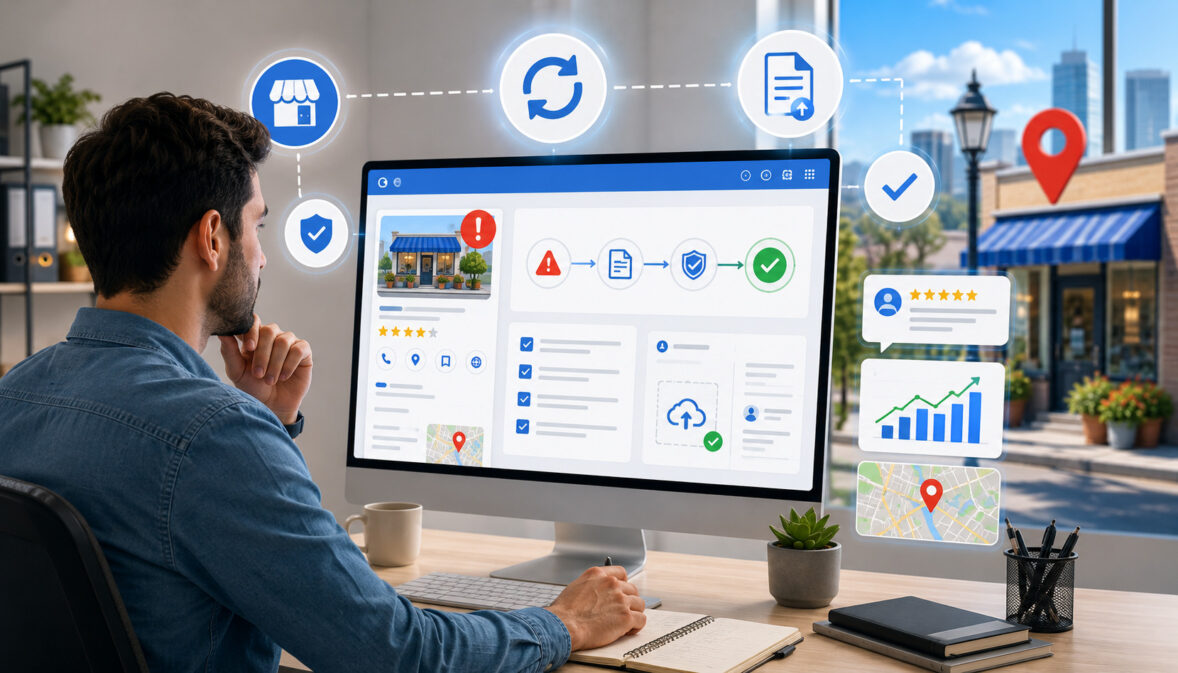
How to Recover From a Google Business Profile Suspension
A suspended business profile can feel urgent, especially when customers rely on map results, phone calls, direction requests, website clicks, appointment links, reviews, and local search visibility to find a business.
If you need to recover from a Google Business Profile suspension, the best approach is not to rush into an appeal. Recovery usually requires a careful review of profile details, correction of possible guideline issues, organized documentation, and a clear reinstatement request.
A Google Business Profile suspension does not always mean a business is fake or intentionally misleading. Many real businesses are suspended because the profile information does not match Google Business Profile guidelines, the business location is difficult to verify, the business name includes extra keywords, or recent edits trigger additional review.
The goal of GBP suspension recovery is to prove that the business is eligible, accurately represented, and operating as described. That means the business name, address, phone number, website, category, service area, hours, photos, and documents should all support the same real-world business identity.
What a Google Business Profile Suspension Means
According to Google’s official guidance on suspended or disabled profiles, Business Profiles may be suspended or disabled when they do not follow required guidelines, and eligible businesses can submit an appeal for review.
A Google Business Profile suspension means the profile has been restricted because Google believes the listing may not follow its rules, may need more verification, or may contain information that does not accurately represent the business.
According to official Google support documentation, Business Profiles may be suspended or disabled when they do not follow guidelines, and eligible businesses can submit an appeal for reinstatement.
A suspension can affect a business in different ways. In some cases, the profile may disappear from Search and Maps. In other cases, the listing may remain visible, but the owner may lose the ability to manage it. Some restrictions affect the profile itself, while others may be tied to the account that manages the profile.
For a local business, this can interrupt important customer actions. People may not see the listing in map results, may not be able to call directly from the profile, may miss directions, or may question whether the business is open.
For service providers, restaurants, healthcare practices, retailers, and professional firms, the loss of profile visibility can affect leads and trust.
A Google Business Profile suspension is also different from a ranking drop. A ranking drop means the profile is still live but may appear lower in local search rankings. A suspension means there is a compliance, eligibility, verification, ownership, or profile restriction issue that needs to be addressed first.
The most important thing to understand is that Google Business Profile recovery should be handled carefully. The business should review the possible cause, correct inaccurate information, collect supporting documents, and submit one complete Google Business Profile appeal rather than repeatedly filing incomplete requests.
Why Google Business Profile Suspensions Happen
Google Business Profile suspensions happen for many reasons, and the exact trigger is not always obvious. Sometimes the issue is a clear policy violation, such as using a PO box address or adding keyword-stuffed terms to the business name.
Other times, the problem may involve business verification, suspicious activity, duplicate listings, account restrictions, ownership conflicts, or a mismatch between the profile and real-world business information.
Google’s policy overview explains that Business Profile content must accurately represent the location and follow policies and guidelines. It also notes that violations may lead to content restrictions, profile access restrictions, or merchant account restrictions.
Many suspended business listing problems begin with core profile details. Name, address, phone number, website URL, categories, hours, and service areas are all signals that help Google understand whether a profile represents a real eligible business. If these details are inconsistent, misleading, or difficult to verify, the profile may be reviewed.
Suspensions can also happen after edits. A business may change its address, update the name, add categories, switch websites, modify service areas, or update ownership access. Even when the business is legitimate, these edits can look suspicious if they significantly change the identity, location, or business model of the profile.
Business Name Problems
Business name issues are one of the most common Google profile suspension reasons. A profile name should reflect the real-world name customers see on signage, documents, branding, and business materials. Problems often start when a business adds extra words to improve local SEO.
For example, a real-world business name should not be expanded with city names, service terms, promotional phrases, phone numbers, or taglines unless those terms are part of the actual business name. A profile name that includes extra descriptors may appear misleading because it changes the business identity shown in local search.
This can affect Google Business Profile troubleshooting because the profile name is highly visible and easy to compare against documents. If the business license, utility bill, storefront signage, website header, and profile name all show different names, the reinstatement reviewer may not have enough confidence that the listing represents the same business.
Before filing a Google Business Profile suspension appeal, remove unnecessary words from the profile name and align it with real-world proof.
Address and Location Issues
Address problems can also create a local business profile suspension. Google Business Profile guidelines generally require eligible businesses to make in-person contact with customers during stated hours.
Google’s policy overview states that businesses with PO box addresses are not permitted, and that a business must make in-person contact with customers during stated hours to qualify for a profile.
Storefront businesses should use a real location where customers can visit during posted hours. Service area businesses may need to hide their address if customers are not served at that location.
Home-based businesses, appointment-only offices, coworking spaces, shared offices, and virtual office setups require extra care because eligibility depends on whether the location is real, staffed, and appropriate for customer interaction.
A virtual office or rented mailing address can create a serious risk if the business is not actually staffed there. Similarly, a service area business that shows a private home address when customers do not visit may create confusion. Address visibility should match the way the business actually serves customers.
Duplicate or Conflicting Listings
Duplicate listings can confuse customers and local search systems. A duplicate may exist because the business moved, changed phone numbers, rebranded, opened a new department, created practitioner profiles, or had an old listing generated from third-party data.
Multi-location businesses and franchises often face this problem because each location must be represented separately and accurately.
Duplicate listings can also happen when a business creates a new profile after a suspension. This is risky. Official Google support guidance says not to create a new Business Profile for the same business while an appeal is under review.
Conflicting profiles may show different names, addresses, websites, categories, or phone numbers. If one listing says the business is at one location and another says something different, Google may need verification before trusting either profile.
The safest approach is to identify duplicates, document them, and handle them through proper support or correction paths rather than creating new listings to bypass a suspended Google Business Profile.
Suspicious or Frequent Profile Edits
Frequent edits to core profile details can trigger review. Changes to the business name, address, phone number, website URL, primary category, service areas, and ownership can make the profile look unstable or inconsistent. Even legitimate updates may require verification if they significantly change how the business is represented.
A business that updates its name to include keywords, changes its address several times, switches categories repeatedly, and modifies service areas may appear to be trying to manipulate local search rankings. Google may then restrict the profile until the information is verified.
Recent edits are important during Google Business Profile recovery because they may reveal what changed before the suspension. Check whether a staff member, agency, former vendor, or account owner made edits shortly before the issue appeared.
Policy or Eligibility Problems
Some businesses face suspension because the business model, location setup, or profile content does not meet eligibility requirements.
Online-only businesses, lead generation pages, temporary locations, rental properties, and businesses that do not make in-person contact with customers may not qualify for a standard profile. Google’s policy overview lists several ineligible business types, including lead generation companies and online-only businesses.
Eligibility problems can be difficult because the business may still be real. A real business is not automatically eligible for every type of local listing. The profile must represent a business that can be verified and accurately shown to local customers.
Other policy issues may involve misleading content, restricted products or services, improper photos, ownership conflicts, or account-level restrictions. In these cases, business profile reinstatement may require both profile corrections and account-level review.
Google Business Profile Suspension Reasons Table
The table below can help organize common suspension triggers before filing a Google Business Profile suspension appeal. It is not a guarantee of the exact cause, but it helps businesses review the most important areas.
| Suspension trigger | What it means | Why it matters | What to check | Safe recovery step |
| Business name issue | The profile name may not match the real-world name | Extra keywords can make the listing look misleading | Signage, website header, license, tax document | Use the real business name only |
| Address issue | The address may be inaccurate, hidden incorrectly, or ineligible | Location accuracy affects trust and eligibility | Lease, utility bill, storefront photos, address visibility | Correct the address and visibility settings |
| PO box or mailing address | The profile may use an address that is not allowed | Mailing addresses do not prove a customer-facing location | Address type, mail center, virtual mailbox | Replace with an eligible location or hide address if appropriate |
| Virtual office | The business may not be staffed at the location | A listing should represent real operations | Staffing, signage, lease, customer access | Use only if eligible and documented |
| Service area issue | The business may show an address or service area incorrectly | Customers may be misled about where service is provided | Service areas, address hiding, operating base | Align settings with the real service model |
| Duplicate listing | More than one profile may represent the same business | Conflicting records can reduce trust | Old addresses, old phone numbers, unclaimed profiles | Report or merge duplicates carefully |
| Category misuse | Categories may not accurately describe the business | Categories affect relevance and customer expectations | Primary category, secondary categories | Choose accurate categories only |
| Phone inconsistency | Phone number may not match business records | Inconsistent NAP can reduce trust | Website, citations, documents, call tracking setup | Use a direct, reliable business number |
| Website mismatch | Website may show different name, address, or services | Reviewers compare profile details with website details | Contact page, location page, footer, policies | Update website details before appeal |
| Ownership conflict | Unauthorized or outdated users may manage the profile | Access problems can cause management restrictions | Owners, managers, former vendors | Remove untrusted users and use authorized access |
| Verification issue | The profile may need more proof | Google may require business verification before reinstatement | Verification status, documents, photos | Complete verification and submit evidence |
| Documentation mismatch | Documents may show different details than the profile | Mismatched evidence can weaken appeal | Business license, utility bill, tax document | Match profile details to official records |
Types of Google Business Profile Suspensions
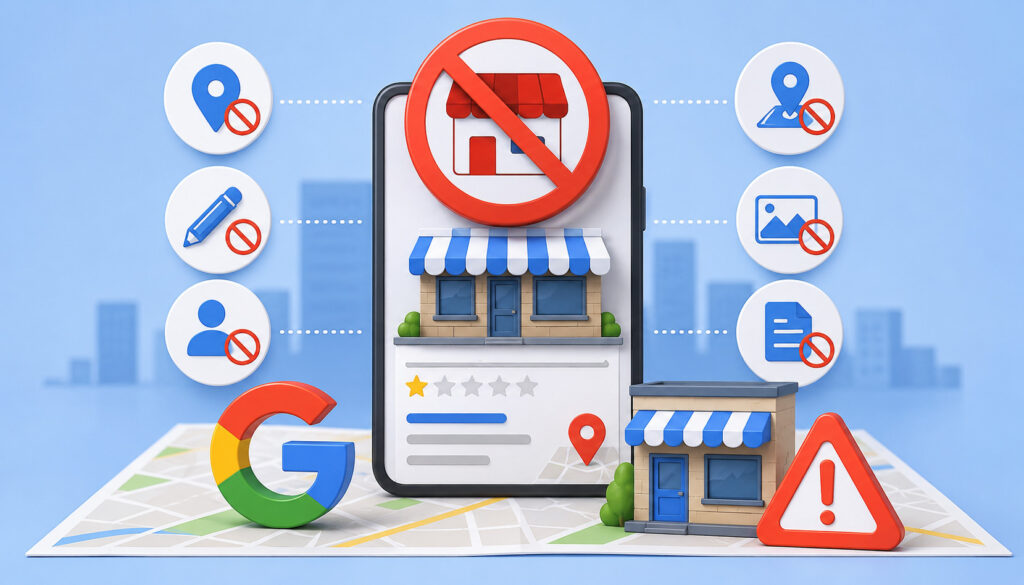
Not every Google Business Profile suspension looks the same. Some businesses lose public visibility, while others lose management access. Some restrictions are tied to the profile, while others are tied to the account that manages it. Understanding the type of problem helps the business choose the right recovery path.
A hard suspension is often the most disruptive because the profile may be removed from public view. A soft suspension may allow the listing to remain visible but restrict management access. Verification-related issues may prevent edits or require additional proof.
Duplicate listing issues may cause confusion when multiple profiles represent the same business. Account-level problems may affect every profile managed by the restricted account.
Google support guidance explains that the appeals tool may show the restricted profile, the reason for the moderation action, and a link to the violated policy. This information is useful because it gives the business a starting point for review.
Suspension type also affects urgency. A restaurant that disappears from map results may lose immediate calls and direction requests. A professional office that remains visible but cannot update hours may still need fast action to prevent customer confusion. A multi-location group may need to audit several listings to make sure the issue is not widespread.
Hard Suspension
A hard suspension generally means the profile is removed or hidden from public view. Customers may no longer see the business listing in map results or the local pack. This can affect calls, directions, bookings, website visits, and customer trust.
Hard suspensions usually require careful correction before appeal. The business should not assume the profile disappeared because of a technical error. Instead, it should review the profile against Google Business Profile guidelines, check recent edits, and collect documents that support the business name, address, and eligibility.
A hard suspension may be connected to address issues, eligibility concerns, business name problems, duplicate profiles, or major identity changes. The appeal should clearly explain what was corrected and why the business is eligible.
Do not create a replacement listing while waiting. A duplicate listing can create more confusion and may make the Google Business Profile reinstatement process harder.
Soft Suspension
A soft suspension may leave the public listing visible but restrict management access. Customers may still see the profile, but the business owner may not be able to update information, respond to reviews, add photos, change hours, or manage important details.
This can be especially frustrating because the listing looks active to customers while the owner has limited control. A soft suspension may happen because of account access problems, ownership issues, policy concerns, or verification questions.
During GBP suspension recovery, the business should review who has access to the profile. Former employees, old agencies, shared accounts, and unauthorized users can create risk. The owner should use a trusted account and ensure access reflects the real business authority.
A soft suspension still deserves careful handling. Incorrect edits or repeated appeals can make the issue harder to resolve.
Verification or Ownership Issues
Verification and ownership issues can look like suspensions even when the profile is not fully removed. A business may be unable to make edits, may see limited dashboard options, or may need to prove that it is authorized to manage the listing.
Verification problems often happen after address changes, ownership transfers, rebrands, phone number changes, or major website changes. Ownership issues may happen when several people claim access, when a former agency controls the profile, or when an account is restricted.
Google’s policy overview explains that account-level restrictions can affect access and that all Business Profiles associated with a restricted account may be suspended. If the issue is account-related, the account problem may need to be fixed before the profile can be restored.
What to Do First After a Suspension
The first moments after a suspension matter. Many businesses panic, make several profile edits, create a new listing, or submit an appeal with incomplete information. Those actions can slow recovery. A better approach is to pause, document the situation, and build a clean recovery plan.
Start by reading the suspension notice and checking the appeals tool. Look for the profile affected, the type of restriction, and any policy reference. If the appeal tool shows a reason or policy link, use that as the starting point.
Next, save the current profile information. Record the business name, address, phone number, website URL, categories, hours, service areas, profile description, photos, and users with access. Take screenshots of the dashboard, warning messages, and public profile if visible.
Then compare the profile to real-world proof. Does the name match signage and documents? Does the address match a lease, utility bill, or business registration? Does the website show the same phone number and location details? Are service areas realistic? Are there duplicate profiles?
Do Not Submit an Appeal Immediately
Submitting an appeal immediately may feel like the fastest step, but it can be risky. Official support guidance says to make sure the profile follows all guidelines before submitting an appeal. If the profile still contains a violation, the appeal may be denied.
A rushed appeal may also include weak evidence. For example, a business may upload a document with a different address, a license with a different legal name, or photos that do not show permanent signage. These mismatches can make the review harder.
Before submitting a Google Business Profile suspension appeal, fix obvious issues. Remove extra keywords from the business name. Correct categories. Review address visibility. Check the website. Search for duplicates. Organize documents.
One strong appeal is usually better than several incomplete appeals.
Document the Current Profile Information
Documentation helps the business understand what changed and what needs correction. Save the profile details before making edits so there is a record of the suspended state. This is useful if multiple people manage the profile or if a recent agency, staff member, or automated update changed information.
Document the following:
- Business name shown on the profile
- Address and address visibility
- Phone number
- Website URL
- Primary and secondary categories
- Business hours
- Service areas
- Photos and logo
- Profile description
- Recent updates
- Users with owner or manager access
- Suspension notice or dashboard messages
This information can help identify inconsistencies. It also helps a local marketing team or business owner create a focused Google Business Profile recovery plan instead of making random edits.
Review Recent Profile Changes
Recent profile edits can reveal the likely trigger. Check whether the business changed its name, address, phone number, website, categories, hours, service areas, or ownership access. Also review whether new photos, posts, products, services, or links were added.
A major address change may require new proof. A category change may make the business look like a different business type. A name edit may introduce keyword stuffing. A website change may point to a landing page that does not clearly show the business name, location, and contact information.
If several edits happened at once, avoid making another large batch of changes unless they are necessary for compliance. Correct the profile carefully and keep records of what was changed.
Step-by-Step Google Business Profile Recovery Process
A structured recovery process helps reduce mistakes. The goal is to identify the likely issue, correct inaccurate information, gather evidence, submit a responsible appeal, and wait for the decision without creating duplicate problems.
The process should begin with guideline review. Then the business should compare profile details with real-world documents and customer-facing information. Any obvious violations should be corrected before appeal.
Documents should be prepared before opening the evidence form because Google notes that evidence must be submitted within a limited window after the form is opened.
The appeal should be concise and factual. Explain the business, what was corrected, and why the profile now follows guidelines. Attach relevant evidence that matches the profile name and address.
After submission, monitor email and the appeals tool. Google support documentation says appeal reviews and decisions can take up to five business days and advises not to submit multiple appeals for the same issue before receiving a decision.
If the appeal is denied, review the reason, gather stronger evidence, and use the appropriate additional review path if available.
Step One: Review the Guidelines
Before making profile edits, review Google’s guidelines for representing your business, because these rules explain how business names, addresses, categories, service areas, and customer-facing information should be handled.
Start with Google Business Profile guidelines, eligibility rules, and policy overview pages. Pay close attention to business name rules, address eligibility, service area rules, ownership access, prohibited content, and account restrictions.
Profile category accuracy is especially important during suspension recovery because the category should describe what the business actually does, not what it wants to rank for. For a deeper breakdown, review this guide on Google Business Profile categories, which explains how primary and secondary categories affect local visibility.
This step matters because Google Business Profile reinstatement is not only about proving the business exists. The profile must also represent the business accurately. A real business can still have an ineligible address, misleading name, unsupported listing type, or duplicate profile problem.
Look for the gap between the profile and the guideline. Is the business name inflated? Is the address a mailing address? Is the service area unrealistic? Is the website inconsistent? Is the business online-only? Is there another profile for the same business?
Once the likely problem is identified, correct it before appeal.
Step Two: Fix Inaccurate Business Information
The profile should match the real business customers interact with. Review the business name, address, phone number, website, categories, hours, services, and service areas.
The business name should match signage, branding, and documents. The address should be eligible and correctly shown or hidden. The phone number should connect customers to the business. The website should clearly show the business identity, location information, services, and contact details. Categories should describe the business honestly.
Avoid making unnecessary edits for ranking purposes during recovery. GBP suspension recovery is about compliance and accuracy first. Local SEO improvements can come later after the profile is restored.
Step Three: Gather Supporting Documents
Supporting documents help prove that the business is legitimate and that the profile details are accurate. Google lists examples of evidence that may strengthen an appeal, including official business registration, a business license, tax certificates, and business utility bills.
Google also advises that submitted documents should show the business name and address matching the profile.
Useful documents may include:
- Business license
- Official business registration
- Tax document
- Utility bill
- Lease agreement
- Insurance document
- Storefront photos
- Permanent signage photos
- Interior office photos
- Service vehicle photos
- Branded materials
- Website screenshots
Documents should be current, readable, and consistent. If the profile uses a DBA name, the business may need evidence connecting the DBA name to the legal entity.
Step Four: Submit the Appeal Carefully
The Google Business Profile appeal should be clear, honest, and specific. Avoid emotional language, blame, keyword stuffing, or unsupported claims. Explain what happened, what was corrected, and what evidence is attached.
A strong appeal may include:
- The real-world business name
- The correct operating address or service area setup
- A short explanation of eligibility
- A list of corrected profile details
- A note that duplicates were reviewed
- Matching documents
- Photos that support the location or business presence
Do not overstate the case. Do not promise ranking improvements. Do not claim that reinstatement is guaranteed. The purpose is to show that the profile follows guidelines and accurately represents the business.
Step Five: Wait for a Response and Follow Instructions
After submitting the appeal, monitor email and the appeals tool. Avoid submitting multiple appeals for the same issue before a decision. Google’s appeal documentation specifically advises against multiple appeals for the same issue before receiving a decision.
If more information is requested, respond with targeted evidence. Do not send unrelated files. If the appeal is approved, review the profile carefully after reinstatement. Make sure the information remains accurate and avoid making unnecessary edits immediately.
If the appeal is not approved, review the status, gather stronger evidence, and follow the available additional review process if eligible. Google support documentation notes that an additional review may be available after a denied reinstatement request, with additional evidence that was not included in the original appeal.
Google Business Profile Reinstatement Checklist
Use this checklist before submitting a reinstatement request.
| Checklist item | What to confirm | Evidence that may help |
| Real business name | Name matches signage, documents, and website | License, registration, signage photo |
| Accurate address | Address is eligible and matches documents | Lease, utility bill, storefront photo |
| Correct phone number | Number connects customers to the business | Website contact page, phone bill |
| Matching website | Website shows the same name, services, and contact details | Contact page screenshot |
| Proper primary category | Category describes the actual business | Website services page |
| Service area accuracy | Service areas reflect real operations | Website service area page |
| Address visibility | Address is shown or hidden correctly | Business model review |
| Duplicate listing review | No conflicting profiles represent the same business | Search results screenshots |
| Supporting documents | Evidence matches profile details | License, tax document, utility bill |
| Storefront photos | Location is real and identifiable | Exterior, entrance, signage photos |
| Signage photos | Permanent signage supports the business name | Clear signage images |
| Appeal explanation | Short, factual, and specific | Written appeal summary |
| Follow-up tracking | Appeal status and emails are monitored | Appeal confirmation email |
How to Review Your Business Name Before Appeal
The business name is one of the most important parts of a Google Business Profile recovery review. It is highly visible, easy to compare, and often connected to suspension risk. A business may be tempted to add service keywords, city names, or promotional terms to improve local visibility, but that can create a compliance problem.
The profile name should reflect the name customers know and see in the real world. This may be the legal name, DBA name, or commonly used brand name, depending on how the business presents itself. The key is consistency. The name on signage, business documents, website branding, invoices, and profile should align.
If a business has recently rebranded, it may need stronger documentation. Reviewers may need to see that the new name is legitimate and not simply a keyword edit. Rebranding can also create duplicate listing issues if old profiles remain active.
Business name cleanup should happen before appeal. Remove unnecessary service keywords, location modifiers, promotional language, and taglines unless they are part of the real-world business name.
Use the Real-World Business Name
The real-world business name is the name customers would recognize from signage, branding, official documents, receipts, invoices, or the website. It should not be a list of services or a search phrase.
For example, a business should not add extra descriptors only because customers search for them. If the actual business name is short, the profile should not be expanded into a long keyword phrase. This can create a suspended business listing risk because the profile may appear to misrepresent the business identity.
If the business uses a DBA, make sure documents support it. If the website shows one name and the business license shows another, include evidence that connects the names where possible. Consistency reduces friction during Google Business Profile reinstatement.
Remove Extra Keywords
Extra keywords can include service terms, city names, neighborhoods, “near me” phrases, promotional language, phone numbers, and category terms. These words may seem helpful for local SEO, but they can make the profile look manipulated.
Remove words that are not part of the official or real-world name. Then check the website header, logo, contact page, signage, and documents to make sure the cleaned-up name is consistent.
This step can also improve long-term profile stability. A clean name reduces the chance of future Google listing suspension issues and helps customers trust that the listing represents the real business.
How to Review Address and Service Area Details
Address and service area settings are critical for Google Business Profile verification and suspension recovery. The profile should accurately show how customers interact with the business.
Storefront businesses, service area businesses, home-based businesses, appointment-only businesses, shared offices, and virtual office setups all require different reviews.
A storefront business usually shows its address because customers can visit during business hours. A service area business may travel to customers and hide its address if customers are not served at the business location. A home-based business may be eligible if it makes in-person contact with customers, but address visibility must be handled carefully.
Google’s policy overview states that businesses must make in-person contact with customers during stated hours to qualify, and that PO box addresses are not permitted. This makes address proof especially important during business profile reinstatement.
Review whether the location is staffed, customer-facing, permanent, and documented. If the business operates from a shared office or coworking location, confirm that the business has clear authority to operate there and that customers can interact with the business as represented.
Storefront Businesses
Storefront businesses should use a real, staffed location where customers can visit during stated hours. Examples include shops, restaurants, clinics, offices, showrooms, and customer-facing service locations.
The address should match documents, website contact details, local citations, and signage. Photos can help show the entrance, storefront, permanent sign, reception area, or customer-facing space. If the business recently moved, gather documents for the new location before appeal.
Hours should also be accurate. If customers can visit only by appointment, the profile should not suggest open walk-in availability unless that is true. Misleading hours can create customer frustration and reduce profile trust.
Service Area Businesses
Service area businesses visit customers rather than serving customers at the business address. Examples may include home repair, cleaning, mobile service, landscaping, and other field-based services.
If customers do not visit the business location, the address may need to be hidden. The service area should reflect where the business actually operates, not every possible market the business wants to rank in. Overly broad or misleading service areas can create trust issues.
For Google Business Profile recovery, service area businesses should confirm that their phone number, website, documents, and service pages support the claimed operation. Vehicle photos, branded uniforms, insurance documents, and service-area website pages may help show legitimacy.
Shared Offices and Virtual Offices
Shared offices, coworking spaces, and virtual offices can create eligibility concerns. The key question is whether the business is genuinely staffed at the location and able to meet customers there as represented. A rented mailing address or virtual reception setup may not be enough.
If the business uses a shared office, collect evidence such as a lease agreement, office signage, interior photos, business registration, utility documentation if available, and website details that match the location. If the business only receives mail there, it may not be eligible to show that address.
For many suspended Google Business Profile cases, virtual office issues are difficult to resolve unless the business can prove real, staffed, customer-facing operations at the location.
How to Review Phone Number, Website, and Categories
Phone number, website URL, and business categories help Google and customers understand the business. These details should match the real customer experience. If they point to inconsistent information, irrelevant pages, call centers, unrelated domains, or inaccurate services, they can weaken a Google Business Profile appeal.
The phone number should connect directly to the business or a properly managed business line. The website should clearly show the business name, services, contact details, and location information. Categories should describe what the business is, not everything the business wants to rank for.
Avoid category stuffing. Adding too many categories can create confusion if they do not reflect the core business. Similarly, a website URL should not point to a thin landing page that hides business identity, location, or ownership details.
Consistency across the profile, website, citations, and official records helps with local SEO recovery after reinstatement. It also reduces the chance of future Google Business Profile troubleshooting problems.
Phone Number Consistency
The profile phone number should connect customers to the business represented by the listing. If the business uses call tracking, make sure the setup is transparent and does not create conflicting NAP records across the web.
Phone inconsistency can happen when old directories show a previous number, the website shows a different number, ads use a tracking number, and documents show another number. During recovery, reduce confusion where possible.
A direct local or business-controlled number is usually easier to support than a generic lead routing number. The goal is to show that customers can reliably contact the business shown on the profile.
Website Consistency
The website should support the profile. It should clearly display the business name, service offering, contact information, and location details. For multi-location businesses, each location should have a unique location page with accurate NAP information.
A mismatch between the profile and website can weaken a reinstatement request. For example, if the profile shows one address but the website shows another, the reviewer may question accuracy. If the profile category says one service type but the website emphasizes another, the business may look inconsistent.
Before appeal, review the homepage, contact page, footer, location pages, service pages, appointment pages, and privacy or policy pages. Update inaccurate information before submitting evidence.
Category Accuracy
Business categories should describe what the business is. They should not be selected only because they have search volume. The primary category should represent the main business type, while secondary categories should be relevant and truthful.
Category misuse can be especially risky for businesses that offer multiple services. A business should not choose categories for services it does not actually provide or for services that are only loosely related. Category changes can also trigger review if they make the profile look like a different business.
During Google Business Profile recovery, choose the most accurate category set and avoid unnecessary changes until the profile is stable.
Duplicate Listings and Suspension Recovery
Duplicate listings can complicate GBP suspension recovery because they create conflicting records. A duplicate may show the same business at an old address, an alternate phone number, a previous business name, a practitioner profile, or a department listing.
In multi-location and franchise environments, duplicates may appear when local managers create listings separately from the main brand process.
Duplicates can affect business information consistency and local search trust. If Google sees multiple listings with overlapping names, phone numbers, addresses, or websites, it may struggle to determine which profile should be trusted.
Do not create a new listing to replace a suspended one. This can create a duplicate profile and may violate the recovery process. Official guidance says not to create a new Business Profile for the same business while an appeal is under review.
Instead, search carefully, document duplicates, and use the proper correction or support route. Some duplicates may need to be marked closed, merged, removed, or left alone depending on the situation.
Finding Duplicate Listings
Search for duplicates using the current business name, old business names, old phone numbers, previous addresses, practitioner names, department names, and brand variations. Check map results, organic search results, and local citation sites.
For healthcare practices, legal offices, real estate offices, and professional services, practitioner listings may exist alongside business listings. These are not always duplicates, but they must follow rules and accurately represent the practitioner or department.
For franchises and multi-location businesses, each eligible location should have its own accurate profile. However, two listings for the same location with the same phone and address may create conflict.
Handling Duplicates Carefully
Handling duplicates requires caution. Do not delete or edit listings randomly without understanding ownership, reviews, ranking history, and eligibility. A listing that looks like a duplicate may represent a practitioner, department, or separate location.
If a duplicate is clearly wrong, document it. If the suspended profile is the correct profile, focus on reinstating it rather than replacing it. If an old profile exists for a previous address, it may need to be marked appropriately rather than reused for a new business identity.
Documents That May Help With Reinstatement
Documents are often a key part of Google Business Profile suspension recovery. They help prove that the business exists, operates at the claimed location, and matches the profile details. The exact documents needed can vary by business model and suspension reason.
Google’s appeal guidance lists official business registration, business license, tax certificates, and utility bills as examples of evidence that can strengthen an appeal. It also advises that documents should match the business name and address on the profile.
Photos can also help. Storefront businesses may provide exterior photos, permanent signage, entrance photos, reception photos, or interior customer-facing areas. Service area businesses may provide vehicle photos, branded equipment, uniforms, or office documents that support the business identity.
Do not submit sensitive information unless needed, and avoid including unnecessary personal details. Use clear, relevant documents that directly support the profile.
Business Documents
Business documents can support name, address, ownership, and operating location. Useful documents may include a business license, official registration, tax certificate, lease agreement, utility bill, insurance document, or permit.
The strongest documents usually show the same business name and address as the profile. If the legal entity name differs from the public-facing DBA name, provide documentation that connects them where possible.
A document with an old address or unrelated name may weaken the appeal. Review every file before uploading it. If the document contains private information not needed for verification, consider whether it can be safely redacted without removing the details required to prove eligibility.
Photos and Signage
Photos help show real-world presence. A storefront business can use exterior photos, permanent signage, entrance photos, lobby photos, counter photos, or office photos. The goal is to show that the location exists and matches the profile.
Signage should be permanent and visible. Temporary paper signs, edited images, or unclear photos may not help. If the business is in a suite, include building entrance, suite signage, directory signage, and interior photos where appropriate.
Service businesses may not have a public storefront, but they can still provide useful visual proof. Branded vehicles, uniforms, equipment, and operating materials may support the business identity.
Website and Contact Proof
A website can support consistency, but it should not replace official documentation. The website should show the same business name, services, contact information, and location details as the profile.
For service area businesses, the website can explain service areas and how customers request service. For multi-location businesses, each location page should show unique address, phone number, hours, and local details.
Screenshots may help if the website has been updated recently. However, official business documents and location evidence are usually stronger for reinstatement than website screenshots alone.
Google Business Profile Suspension Appeal Tips
A strong Google Business Profile suspension appeal is clear, organized, and evidence-based. It does not need to be long, emotional, or promotional. It should help the reviewer understand what the business is, why it is eligible, what was corrected, and what evidence supports reinstatement.
Google’s appeal process may allow optional evidence, and official guidance says evidence can help strengthen the appeal. It also notes that once the evidence form is opened, evidence must be submitted within a limited time window. Prepare documents before starting the appeal.
The appeal explanation should avoid blaming customers, competitors, employees, or the platform. Even if the suspension seems unfair, the most productive appeal focuses on compliance and proof.
Make sure the appeal details match the profile and documents. If the profile says one name, the document says another, and the website says a third, resolve the inconsistency before filing.
Be Clear and Specific
The appeal should state the business name, business model, operating location or service area, and the corrections made. If the business removed extra keywords, corrected address visibility, updated categories, or fixed website information, mention that briefly.
Avoid vague statements such as “everything is correct” without explaining what was reviewed. A better appeal explains the exact issue reviewed and the evidence attached.
For example, the appeal can say that the business name now matches permanent signage and registration documents, the address matches the lease and utility bill, and the service area settings reflect the actual customer service model.
Attach Relevant Evidence
Attach evidence that directly supports the profile. If the issue appears to be address-related, upload documents and photos that prove the location. If the issue appears name-related, upload documents and signage that show the real-world name.
Do not attach a large set of unrelated files. Too much irrelevant evidence can make the appeal harder to review. Choose clear, readable, current documents.
Make sure file names are organized. A document named “business-license” or “storefront-signage” is easier to understand than a random image name.
Avoid Repeated Submissions
Repeated submissions can create confusion and may slow recovery. Google’s appeal guidance says not to submit multiple appeals for the same issue before receiving a decision.
After submission, wait for the response and track the appeal status. If more information is requested, respond carefully. If the appeal is denied, review whether additional evidence is available and use the appropriate additional review option if eligible.
Common Mistakes During GBP Suspension Recovery
Many businesses make recovery harder by trying to move too fast. The most common mistake is creating a new listing to replace the suspended Google Business Profile. This can create duplicates and may violate guidance while an appeal is under review.
Another common mistake is submitting an appeal before fixing the issue. If the business name still includes extra keywords, the address is still ineligible, or documents still do not match the profile, the appeal may fail.
Other mistakes include:
- Adding city names or service keywords to the business name
- Using a virtual office without real staffed operations
- Showing a home address when customers do not visit
- Hiding an address that should be shown for a storefront
- Changing too many profile details repeatedly
- Ignoring duplicate listings
- Uploading documents with mismatched names or addresses
- Using vague appeal explanations
- Giving profile access to too many users
- Reopening old listings instead of fixing the correct profile
- Treating the profile as an advertising page instead of a factual listing
A suspended business listing should be handled like a verification and compliance issue. Focus on accuracy, consistency, and evidence.
How Suspensions Affect Local SEO
A Google Business Profile suspension can affect local SEO in several ways. If the profile is removed from Search and Maps, the business may lose visibility in map results and the local pack. This can reduce calls, direction requests, website clicks, bookings, and customer actions.
Even after reinstatement, local SEO recovery may take time. The profile may not instantly return to previous local search rankings. Google may need to reprocess profile information, customer engagement may need to rebuild, and the business may need to correct inconsistent citations across the web.
A suspension can also affect customer trust. If a customer cannot find a familiar business listing, sees inconsistent information, or notices missing reviews, they may hesitate to contact the business. This is why businesses should keep their website, local citations, social profiles, and other contact channels accurate while waiting.
Google’s local ranking guidance explains that local results are influenced by relevance, distance, and prominence, and notes that review count and rating can help local ranking. A suspension interrupts one of the most important local visibility assets, so recovery should be paired with broader business information consistency.
Impact on Map Visibility
A hard suspension may prevent the profile from appearing in map results or local pack results. This can reduce discovery from people searching nearby for services, products, directions, or business hours.
For businesses that rely heavily on map visibility, the impact can be immediate. Restaurants may lose direction requests. Home service businesses may lose calls. Healthcare and professional offices may lose appointment inquiries.
While waiting for reinstatement, keep the website accurate and make sure other trusted citations show correct information. This does not replace the profile, but it helps customers find reliable details.
Impact on Customer Trust
Customers expect business information to be consistent. If the profile disappears or shows outdated information, customers may wonder whether the business moved, closed, or changed ownership.
Inconsistent NAP information can also confuse customers. A website with one address, directories with another, and a suspended profile with a third can reduce confidence. This is why business information consistency is part of both recovery and prevention.
After reinstatement, review the profile carefully. Confirm hours, phone number, address, website, categories, services, and photos.
Impact on Reviews and Engagement
Depending on the type of suspension, reviews may become less visible, review response access may be restricted, or customers may have fewer ways to engage with the profile. Even if reviews remain, the business may not be able to respond while management access is restricted.
Customer engagement may also decline if the profile is unavailable. Fewer calls, clicks, messages, direction requests, and bookings can affect lead flow.
Once reinstated, resume normal review response practices. Do not ask customers to flood the profile with reviews immediately. Keep review generation natural, ethical, and consistent.
What to Do While Waiting for Reinstatement
Waiting for a reinstatement decision can be frustrating, but businesses can still take useful steps. Start by monitoring email and the appeals tool. Make sure messages from support do not go to spam. Keep all documents in one organized folder.
While waiting for profile reinstatement, businesses can also keep customers informed through local social updates, especially for temporary hours, service changes, or contact instructions. This guide on geo-targeted social media content can help businesses communicate with nearby audiences while their profile issue is being resolved.
Next, review the website. Make sure the business name, address, phone number, hours, service areas, and contact information are accurate. If the business has multiple locations, review every location page. Each page should represent a real location and should not duplicate content in a way that confuses customers.
Update important local citations where possible. Business directories, social profiles, industry listings, chamber pages, and appointment platforms should show consistent information. If old addresses or phone numbers appear, correct them.
Continue serving customers through available channels. Keep the website contact form working, answer calls, update social profiles, and use email or booking pages where appropriate. Do not create a new Google Business Profile to replace the suspended one while the appeal is active.
How to Prevent Future Google Business Profile Suspensions
Prevention depends on accuracy, consistency, access control, and regular audits. A reinstated profile should not be treated as fixed forever. Business details change, employees leave, agencies change, locations move, categories evolve, and citations become outdated.
Keep the business name clean and consistent. Avoid adding keywords, neighborhoods, service terms, or promotional words unless they are part of the real-world name. Keep address and service area settings aligned with how the business actually serves customers.
Review profile access regularly. Remove former employees, old vendors, and accounts that no longer need access. Use trusted accounts and avoid sharing login credentials.
Audit the profile after major changes such as moves, rebrands, new phone numbers, new websites, acquisitions, franchise updates, or department changes. Document business changes before editing the profile.
Prevention is also part of local SEO. Accurate information supports local search trust, helps customers, and reduces the chance of future Google listing suspension problems.
Keep Business Information Consistent
NAP consistency means the business name, address, and phone number are consistent across the profile, website, citations, directories, social profiles, and official records. Inconsistency does not always cause suspension by itself, but it can create confusion during verification and recovery.
Business information consistency also matters across directories, map listings, social profiles, and local citations. This guide on citation building strategies for local SEO can help businesses understand how consistent name, address, phone number, and website details support local search trust.
Check the website footer, contact page, location pages, booking pages, invoices, directory listings, and social profiles. If the business moved, update old citations. If the phone number changed, update important directories.
Consistency helps customers and reviewers understand that all records point to the same real business.
Control Profile Access
Only trusted users should manage the profile. Too many managers increase the chance of accidental edits, unauthorized changes, or ownership conflict. Former employees and vendors should be removed when they no longer need access.
Use clear internal rules for profile updates. Decide who can edit core details, who can respond to reviews, who can add photos, and who can update hours. For multi-location businesses, location managers may need limited access while a central team controls major changes.
Access control is especially important for franchises and professional groups where many people may want to manage listings.
Audit Listings Regularly
Regular audits can catch issues before they become suspension problems. Review the profile name, address, phone number, website URL, categories, hours, service areas, photos, reviews, users, and duplicate listings.
Also search for old profiles, duplicate listings, outdated directories, and incorrect map records. For multi-location businesses, audit every location using the same process.
A practical audit schedule can include a monthly basic review and a deeper review after major business changes. Keep records of corrections and supporting documents.
Google Business Profile Recovery for Different Business Types
Different business models face different suspension risks. A restaurant may need to focus on hours, address, delivery links, and duplicate menu profiles. A home service business may need to focus on address visibility, service areas, and proof of real operations. A healthcare practice may need to review practitioner listings and appointment-only office details.
The recovery process should always begin with the same principles: eligibility, accuracy, consistency, and evidence. But the details vary by industry and setup.
Multi-location businesses and franchises need extra care because one bad process can affect many profiles. Standardized naming rules, location documentation, access controls, and duplicate listing audits can prevent widespread issues.
Restaurants and Food Businesses
Restaurants and food businesses often rely heavily on map results, calls, directions, reviews, menu links, and hours. A suspension can quickly affect customer traffic.
Common issues include incorrect hours, old addresses, duplicate listings, delivery link confusion, category mistakes, and mismatched phone numbers. Restaurants should confirm that the address is accurate, signage is visible, hours are current, and website or menu pages match the profile.
Photos can be especially helpful for storefront proof. Exterior images, permanent signage, entrance photos, dining area photos, and menu page screenshots can support the profile.
Retail Stores
Retail stores should focus on storefront proof, address consistency, hours, signage, and category accuracy. Customers should be able to visit the location during posted hours.
A retail profile should not use a storage unit, PO box, virtual office, or back-office address if that is not where customers shop. The website should show the same address, phone number, store hours, and product focus.
For reinstatement, useful evidence may include business registration, lease, utility bill, storefront signage, and interior photos.
Service Area Businesses
Service area businesses should review address visibility and service area accuracy. If customers are served at their locations rather than at the business address, the address may need to be hidden.
The service area should represent actual operations. Adding too many areas for ranking purposes can look misleading. The website should support the same service area information and should not create conflicting location claims.
Evidence may include business license, insurance document, vehicle photos, branded materials, phone bill, or website service area pages.
Home Service Businesses
Home service businesses often operate from a home office or dispatch location. The key issue is whether customers visit the location. If they do not, address visibility should be reviewed carefully.
Home service businesses should avoid using fake office locations, virtual addresses, or rented mailboxes to appear in additional markets. These shortcuts can create suspension risk.
For Google Business Profile recovery, show that the business is real, properly documented, and accurately represented as a service area business.
Healthcare and Appointment-Based Businesses
Healthcare and appointment-based businesses may have practitioner listings, department listings, clinic listings, and shared office arrangements. These can be legitimate, but they must be accurate and not duplicated unnecessarily.
Common issues include practitioner duplicates, old office locations, shared phone numbers, appointment-only confusion, and category mismatch. A practitioner profile should represent the practitioner, while the practice profile should represent the business entity or location.
Evidence may include license documentation, office lease, signage, appointment page, official registration, and website location details.
Professional Services
Professional service firms should review office eligibility, signage, business documents, categories, and website consistency. Law offices, accounting firms, consultants, real estate offices, and financial professionals may operate from shared or appointment-only spaces, so documentation matters.
If clients visit the office, the profile should accurately show hours and location. If the business is remote or online-only, it may not qualify in the same way as a customer-facing office.
Professional services should also avoid category stuffing. Choose categories that reflect the actual service model.
Franchises
Franchises need structured profile management. Each eligible location should have its own accurate profile with the correct brand name, local address, phone number, website or location page, and hours.
Naming rules are important. Franchise locations should not add unauthorized keywords or local descriptors unless they are part of the real-world naming format. Local managers should not create duplicate profiles outside the brand’s process.
Franchise recovery may require collecting documents for each location, reviewing access, and checking for duplicate listings created by local teams or older vendors.
Multi-Location Businesses
Multi-location businesses should treat each profile as a separate business record. Each location needs accurate, unique, eligible, and well-documented information.
Common problems include copied location pages, shared phone numbers, old addresses, duplicate listings, inconsistent categories, and unauthorized local edits. A centralized audit process can prevent these issues.
For suspension recovery across several locations, organize evidence by location. Include business profile ID, location name, address, documents, photos, and appeal status for each profile.
Google Business Profile Suspension Recovery Checklist
Use this detailed checklist to manage recovery from start to finish.
| Task | Why it matters | Evidence needed | Common mistake | Completion status |
| Review guideline issue | Identifies likely suspension cause | Policy link, dashboard notice | Guessing without review | Not started |
| Check business name | Name must match real-world identity | Signage, license, website | Adding keywords | Not started |
| Check address | Address must be eligible and accurate | Lease, utility bill, photos | Using PO box or virtual office | Not started |
| Review service area | Must match actual operations | Website service page | Adding broad areas for ranking | Not started |
| Review categories | Categories must be accurate | Website service details | Category stuffing | Not started |
| Check phone number | Supports customer contact and NAP consistency | Website, phone bill | Conflicting tracking numbers | Not started |
| Check website URL | Website should match profile details | Contact page screenshot | Thin or mismatched landing page | Not started |
| Search duplicates | Duplicates can confuse profile trust | Search screenshots | Creating a new listing | Not started |
| Review ownership | Access should be authorized | User list screenshot | Keeping former vendors | Not started |
| Collect documents | Supports reinstatement | License, registration, utility bill | Mismatched documents | Not started |
| Collect photos | Proves real-world presence | Storefront, signage, interior | Temporary signs only | Not started |
| Write appeal | Explains corrections clearly | Appeal summary | Emotional or vague message | Not started |
| Submit appeal | Starts reinstatement review | Documents and explanation | Filing before corrections | Not started |
| Track response | Prevents missed requests | Email, appeal status | Submitting repeated appeals | Not started |
| Prevention audit | Reduces future risk | Audit notes | Ignoring listings after recovery | Not started |
When to Seek Professional Guidance
Some suspensions are simple enough for a business owner or marketing team to handle. Others are more complex. Professional guidance may be helpful when the business has repeated denials, multiple suspended locations, ownership conflicts, unclear address eligibility, complicated practitioner listings, or documents that do not match the public profile.
A qualified local SEO professional may help review profile consistency, duplicate listings, categories, and website alignment. A legal advisor may be useful when business names, DBA documentation, leases, ownership, or licensing details are unclear. An accountant or documentation specialist may help gather official business records.
Professional help should not be used to bypass guidelines. It should support accuracy, documentation, and compliance. No one can guarantee Google Business Profile reinstatement or ranking recovery.
FAQs
What is a Google Business Profile suspension?
A Google Business Profile suspension is a restriction placed on a business profile when Google determines that the listing may not follow guidelines, may need more verification, or may contain inaccurate or unsupported information. The profile may disappear from Search and Maps, or the business may lose management access while the listing remains visible.
A suspension does not always mean the business is fake. Many legitimate businesses are suspended because of name issues, address problems, duplicate listings, eligibility concerns, ownership conflicts, or recent profile edits. Recovery depends on correcting the issue and submitting a clear appeal with supporting evidence.
How do I recover from a Google Business Profile suspension?
To recover from a Google Business Profile suspension, start by reviewing the suspension notice and checking the appeals tool. Then compare the profile against Google Business Profile guidelines, correct inaccurate information, gather documents, and submit a complete appeal.
Do not file the appeal before reviewing the business name, address, phone number, website, categories, service area, ownership access, and duplicate listings. The appeal should explain what was corrected and include documents that match the profile details.
Why was my Google Business Profile suspended?
Common reasons include keyword stuffing in the business name, address eligibility issues, PO box or virtual office use, duplicate listings, suspicious edits, ownership problems, category misuse, phone number inconsistencies, website mismatches, and policy violations.
The exact reason may not always be obvious. The appeals tool may show a moderation reason or policy link, but businesses should still review the full profile carefully before submitting a Google Business Profile suspension appeal.
What is Google Business Profile reinstatement?
Google Business Profile reinstatement is the process of asking Google to restore a suspended or disabled profile after the business has corrected issues and provided evidence of eligibility. Reinstatement may restore profile visibility, management access, or both depending on the type of suspension.
Reinstatement is not guaranteed. The business must show that the profile accurately represents an eligible real-world business and follows Google Business Profile guidelines.
What documents help with a Google Business Profile suspension appeal?
Helpful documents may include official business registration, business license, tax certificate, utility bill, lease agreement, insurance document, storefront photos, permanent signage photos, interior photos, service vehicle photos, branded materials, and website screenshots.
The strongest documents match the business name and address shown on the profile. Mismatched documents can weaken the appeal, so review every file before submitting it.
Should I create a new profile if my business profile is suspended?
No. Creating a new profile for the same business while an appeal is active can create duplicate listing problems and may make recovery harder. Official support guidance advises businesses not to create a new Business Profile for the same business while an appeal is under review.
Instead, focus on correcting the suspended profile and submitting a complete appeal with relevant evidence.
How long does GBP suspension recovery take?
Review time can vary. Google’s appeal guidance says appeal reviews and decisions can take up to five business days and advises not to submit multiple appeals for the same issue before a decision. Some cases may take longer if more evidence is needed, the issue is complex, or an additional review is required.
While waiting, monitor email, keep documents organized, update website and citation accuracy, and avoid creating duplicate profiles.
Can keyword stuffing cause a Google Business Profile suspension?
Yes, keyword stuffing can increase suspension risk. A business name should represent the real-world business name, not a list of services, locations, or ranking keywords.
Before appeal, remove extra keywords, city names, promotional phrases, phone numbers, and service descriptors that are not part of the actual business name. Then make sure the profile name matches signage, website branding, and official documents.
Can service area businesses get suspended?
Yes. Service area businesses can be suspended if address visibility is wrong, service areas are misleading, the business uses an ineligible address, or documents do not support the business identity. A service area business should accurately represent how it serves customers.
If customers are not served at the business address, address visibility should be reviewed carefully. Service areas should reflect real operations rather than every location the business wants to rank in.
What should I do if my reinstatement appeal is denied?
If the appeal is denied, review the decision carefully. Check whether the profile still contains a guideline issue, whether documents were mismatched, whether evidence was incomplete, or whether an address or eligibility problem remains.
Google support documentation explains that an additional review may be available after a denied reinstatement request, and businesses may provide additional evidence that was not included in the original appeal. Use that option only after strengthening the evidence and correcting any remaining issues.
Conclusion
A Google Business Profile suspension can be stressful, but recovery is possible when the business handles the process carefully. The best way to recover from a Google Business Profile suspension is to pause, review the issue, correct inaccurate profile details, follow Google Business Profile guidelines, gather supporting documents, and submit a clear appeal.
The most important recovery areas are business name accuracy, address eligibility, service area settings, phone number consistency, website alignment, category accuracy, ownership access, duplicate listing cleanup, and documentation.
A strong appeal should explain what was corrected and attach evidence that supports the profile’s name, address, and real-world operations.
Businesses should avoid shortcuts. Do not create a new profile to bypass suspension, do not add extra keywords to the business name, do not use ineligible addresses, and do not submit repeated appeals before receiving a decision. These actions can create more problems.
Long-term prevention depends on accurate business information, consistent local listings, ethical local SEO practices, controlled profile access, and regular audits. A profile that accurately represents the real business is easier for customers to trust, easier to verify, and less likely to face future suspension issues.